
Decision table
A Decision table in ServiceNow is a configuration option that can be used to evaluate multiple conditions and return a result based on predefined logic. It simplifies complex decision-making by organizing rules in a tabular format, where each row represents a unique set of conditions and their corresponding output.
Decision Tables are used when:
- Business logic depends on multiple conditions
- Rules change frequently
- Non-developers (admins / process owners) should manage logic
- You want consistency, reusability, and auditability
Inputs (Conditions)
- Fields used for evaluation
- Example: Category
Rules (Rows)
- Each row represents one decision rule
- Use case:
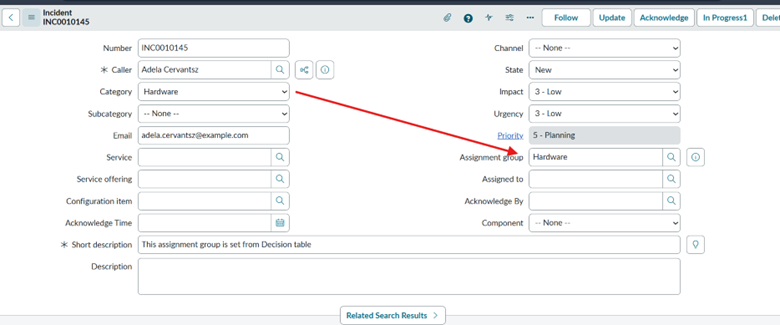
If Category = hardware then assignment group is Hardware, Category =Software then assignment group = Software, Category = Network then assignment group = Network and Select assignment group based on category.
- Navigate to Decision Tables
All → Decision Builder → Decision Tables - Create new decision table like below
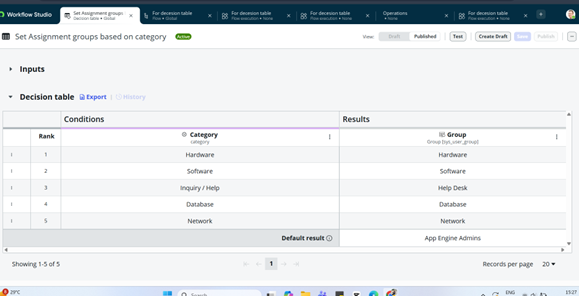
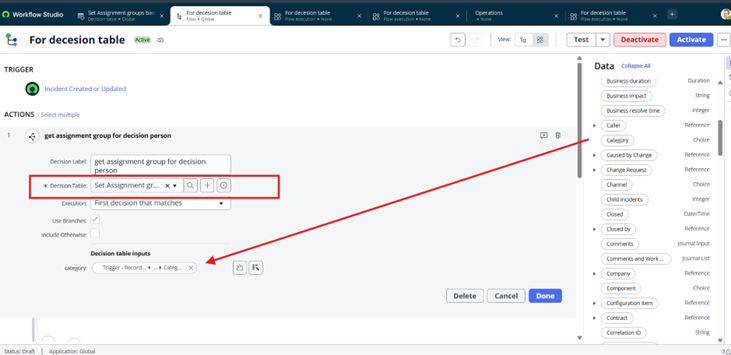
Now create a flow in flow designer and attach this decision table to flow like below
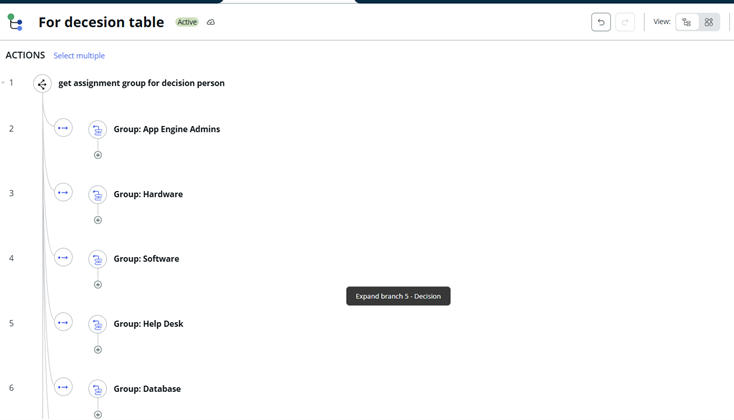
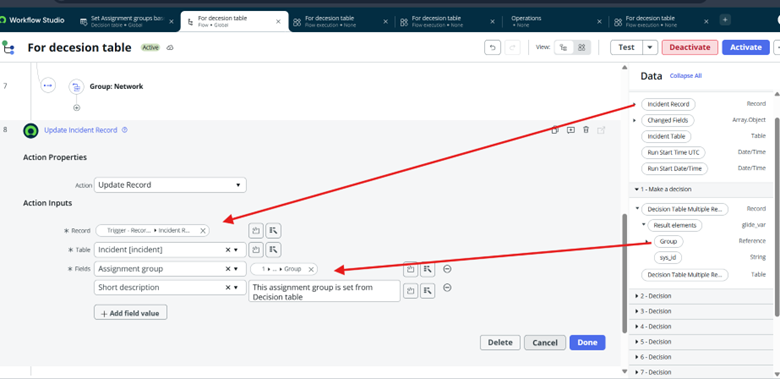
Now use update record action to update the assignment group based on category using data pill of corresponding decision table.
Output – Open incident form and update the category to “Hardware” on incident and check assignment group in incident will be updated to Hardware.
Decision table