
Access control List
Access Control List
- Access control list or ACL is a part of Security in ServiceNow.
- ACL can be applied on Tables, UI Pages, Script Include also.
- It is Nothing But to give permission to Tables & Fields.
- Where we can restrict user’s access for below:
i. Create
ii. Read
iii. Write
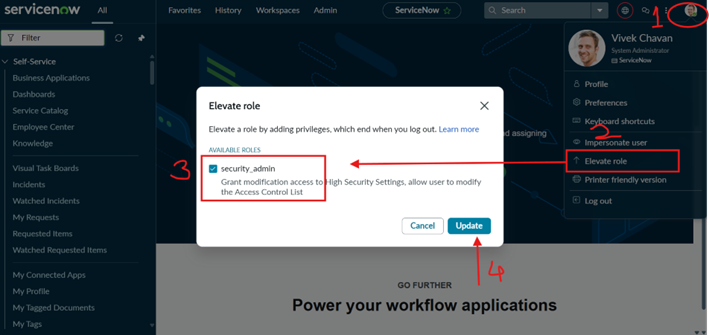
iv. Delete - To access ACL admin needs to elevate the role to “security admin”.
- Admin override allows admin users to bypass ACLs. Even if an ACL would normally deny access, an admin can still perform the action.
Evolution order of ACL-
- Role – ServiceNow checks whether the user has at least one role listed in the ACL. if condition is false then access denied
- Condition – ServiceNow evaluates the Condition field on the ACL, if condition is false then access denied
- Script – Script must return true to allow access, returning false (or nothing) denies access.
ServiceNow checks ACLs in this order:
- table. Field
- table. *
- table. None
- * *
- * . field
- * . none
The first matching ACL found is enforced.
Use case-
Configure the ACL so that the Payroll Manager group has full access to payroll data with create, read, update, and delete permissions, while the Payroll User group has read-only access and is restricted from creating, updating, or deleting payroll records.
Solution-
Create two roles ‘payroll_manager’ and ‘payroll_user’ and two groups Payroll Manager, payroll User.
Assign payroll_user role to Payroll User group and assign payroll_manager role to payroll manager group and assign some users to both groups.
Click on profile and Elevate role to “Security admin” to access the ACL.
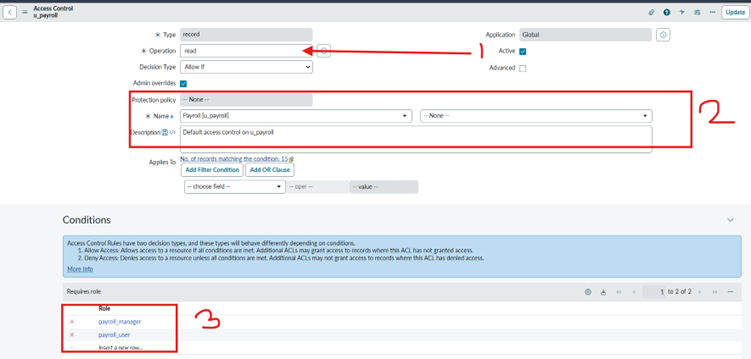
Create ACL with read access to payroll user table. None and give roles “payroll_user” and “payroll_manager”.
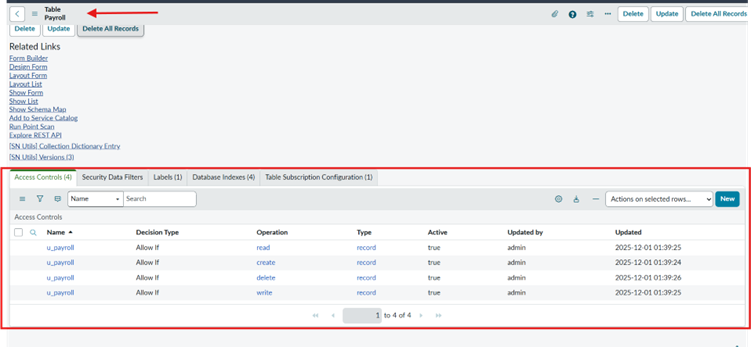
Or Navigate to Payroll table and scroll down to access control related list.
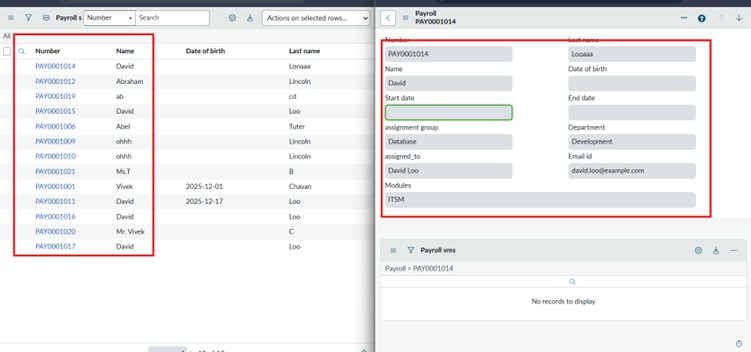
Impersonate to user with “payroll_user” role.
Open payroll record can read record but cannot update create and delete record.
Because we have given only read access for user group so user can only see records.
Create the ACL record with create, write, delete access with payroll manager role.
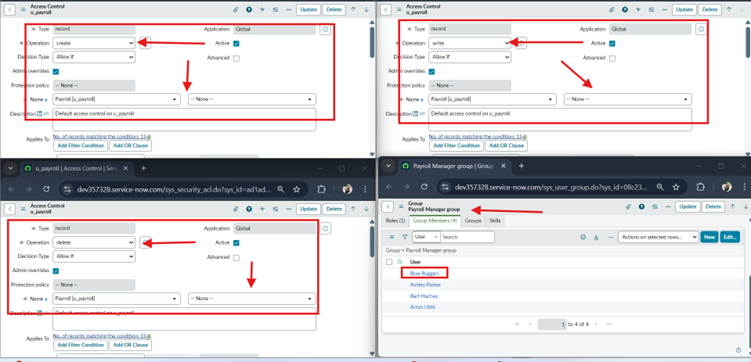
Manager can access record create, read and write on record.
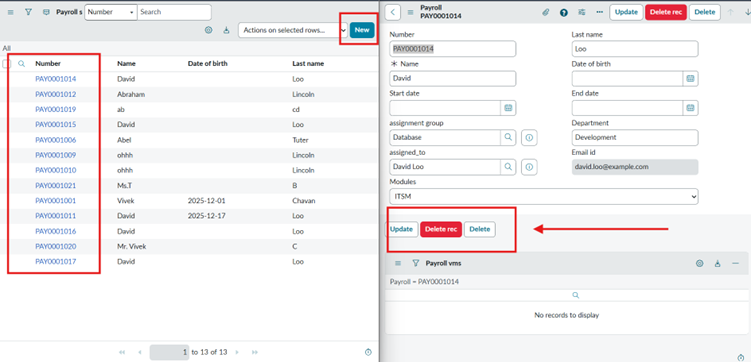
Now Create * access to payroll table for read access.
Impersonate with user having payroll_user role Payroll. open payroll record and you will see payroll table fields but not data.
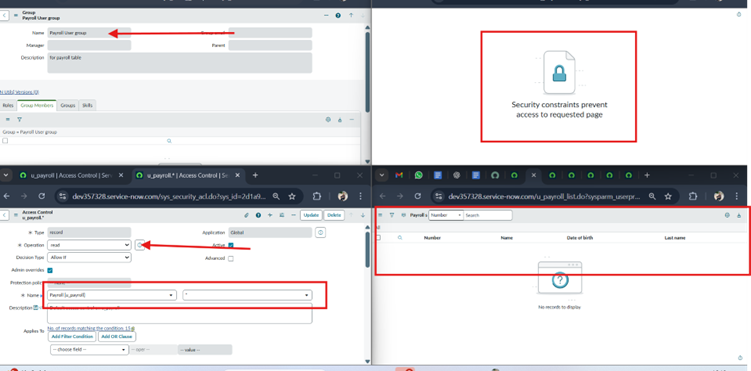
Summary –
Implemented role-based access control for the payroll system. The Payroll Manager role was granted full CRUD (create, read, update, delete) access to payroll records, while the Payroll User role was restricted to read-only access. This configuration secures the access for valid user.