Flow Designer Properties
Flow Designer in ServiceNow is a low-code automation tool used to design and automate business processes without heavy scripting. It allows users to create flows by defining triggers, conditions, and actions to automate tasks such as approvals, notifications, record updates, and integrations.
To create new flow, navigate to All – Process engine — Flow designer — New
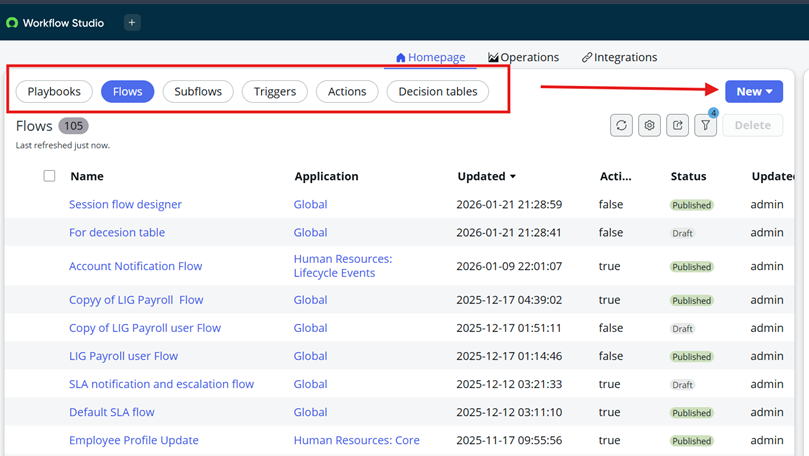
After you click on New button on page, it will open to create new flow.
- Flow Name
Enter a clear and meaningful name that describes the purpose of the flow.
This helps users easily identify the flow later.
- Application
Select the application scope in which the flow will run.
It controls which data and actions the flow can access.
- Description
Briefly explains what the flow does and when it is triggered.
This helps others understand the flow logic quickly.
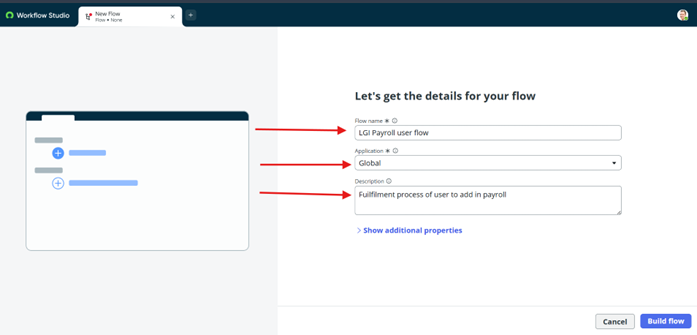
Now click on Show additional properties
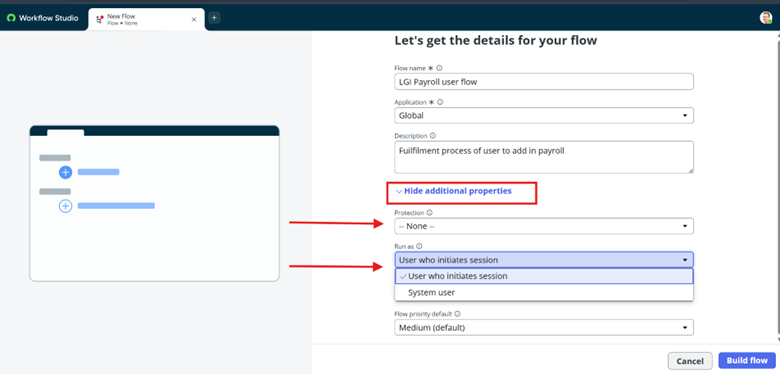
4.Protection
It defines whether the flow is editable or read-only after creation.
Setting it to read-only helps prevent unauthorized changes to the flow.
5.Run as
It specifies the user context under which the flow executes.
- User who initiates session
The flow runs using the roles and permissions of the user who triggered it.
the system limits flow actions by user ACL restrictions. Ensure that security restrictions don’t prevent users who trigger the flow from performing flow actions.
- System user
The flow runs with system-level privileges, regardless of who triggered it.
Updates appear as done by System, Does not evaluate Users roles/access when running the Flow.
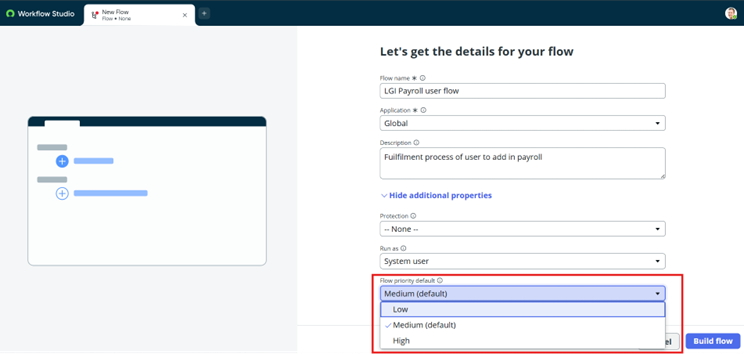
6.Flow Priority
Flow priority determines the execution order when multiple flows are triggered at the same time. By default, flows can be set to Low, Medium, or High, with High priority flows running first.