Incident Management
Incident Management
Any interruption in service is raised as an Incident
Purpose is to restore normal service operations
Purpose is to minimise the effect by workaround if restore is not possible
Impact and Urgency are defining the Priority
Challenges
Detect an incident as soon as possible
Incident workaround or resolution should get documented
Incident assignment for L1, L2 and L3 support
Correct assignment of priority in automated generated incidentsExamples
Not able to login in system
Not able to swipe the swipe card
Not able to send an emails2. Incident management
Incident management is the process of identifying, analyzing, and resolving incidents that disrupt normal business operations or IT services, with the goal of restoring services as quickly as possible and minimizing impact on users and business operations.
3. Objectives
Restore the service as quickly as possible
Minimize disruption to the user’s work
Manage the incident throughout its entire lifecycle
Support operational activities4. How Incidents Can Be Created
Incidents can be raised in many ways:
Service Portal (self-service)
Email inbound actions
Phone call to Service Desk
ITSM Mobile app
Integration (API)
Auto-created via Monitoring/Event Management
Manually by agents in ServiceNow
5. Fields in the incident management
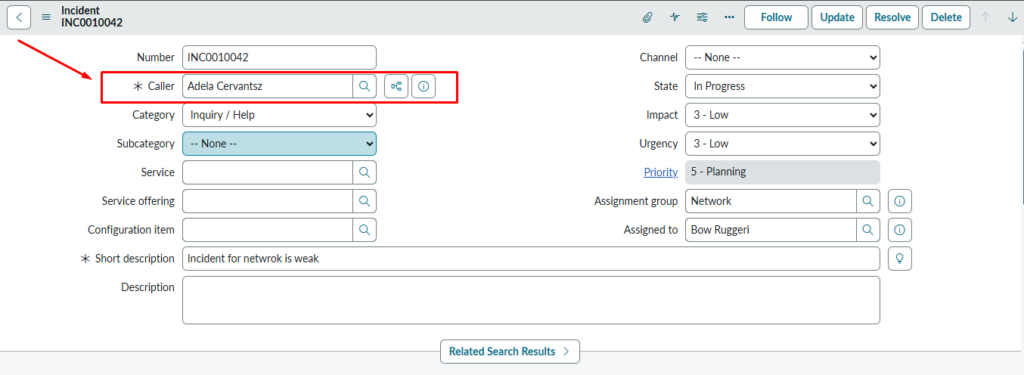
5.1 Caller
Caller field identifies the person who is reporting the issue.
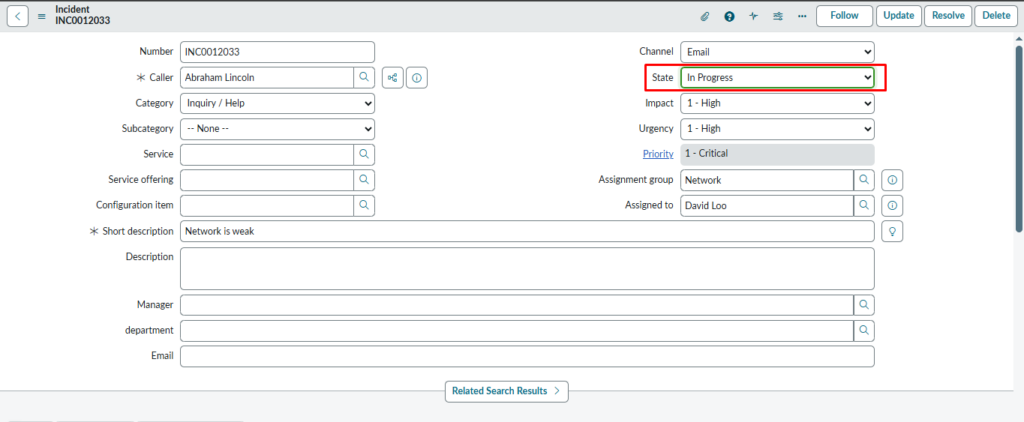
Incident is in “In Progress” state
This incident is already being worked on, so the State is In Progress.
The Channel field shows Email, meaning the incident was logged via email.
Other fields like assignment group and priority indicate who is handling it.
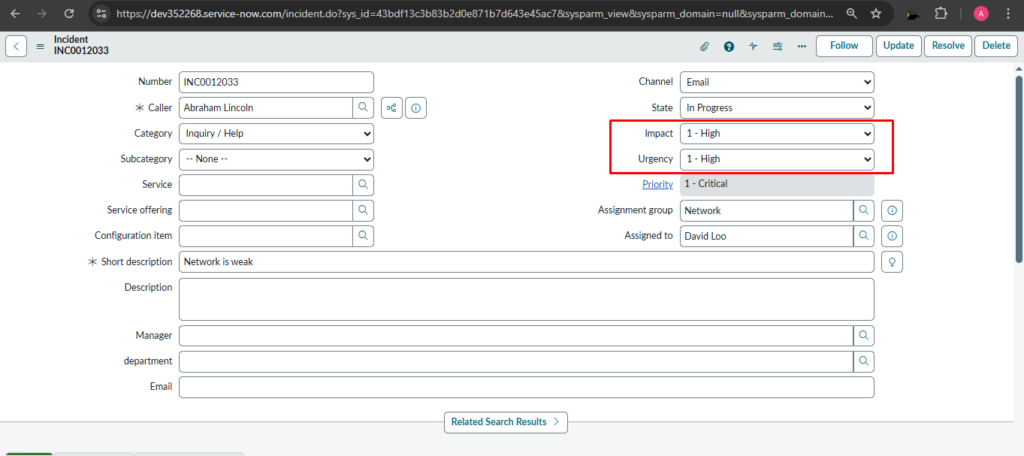
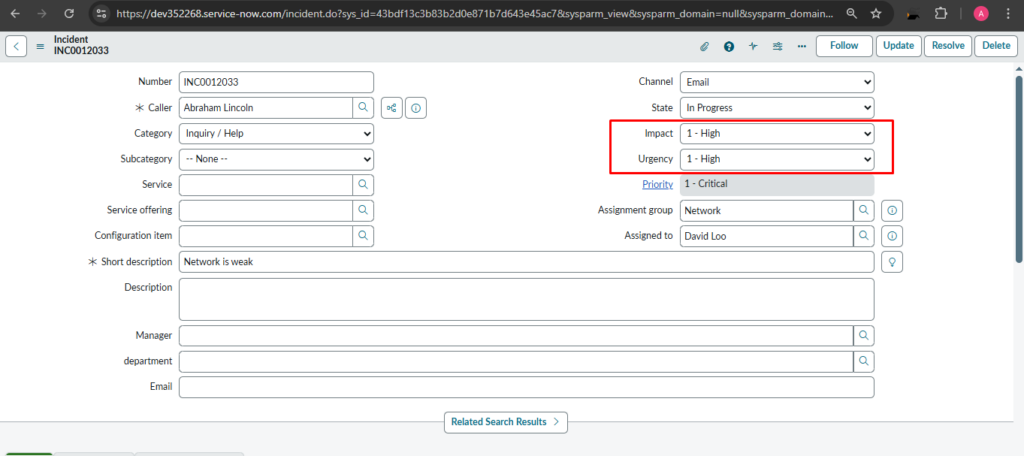
5.2 Impact & Urgency
Three levels of impact and urgency are given in the list box: High, Medium, and Low, based on the incident priority.
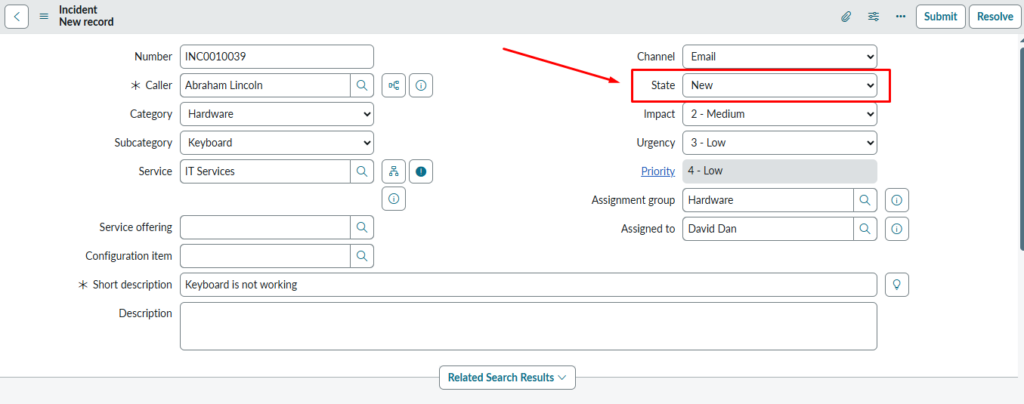
New record of incident
This shows a newly created incident.
The State is New, meaning no one has started working on it yet.
5.3 Channel
Incident can be raised through following channels
1)Chat 2)Email 3) Phone 4)Self-service 5)Virtual Agent 6)Walk-in
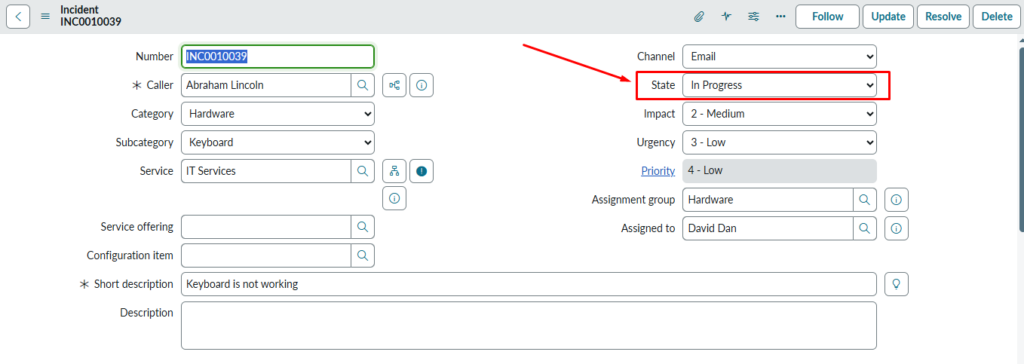
Incident moved to “In Progress”
Here, the same incident is now saved and assigned.
The State changes from New to In Progress once work begins.
This indicates the support team has started investigating the issue.
Short description: A short description is a summary of an incident, typically used to quickly communicate the nature of the problem to relevant parties.
6. States
State: New, In Progress, On Hold, Resolved, Closed, canceled. These are the states where the incident is placed as the status of the incident by the ‘Assigned to person’.
6.1 Incident States in ServiceNow
State | Meaning |
New | When a user reports an issue, a new Incident is created in the system. |
In Progress | This confirms that the support team has started working on the issue and the Incident state changes from New to In Progress. |
On Hold | If additional information is required from the user (caller), the Fulfiller changes the Incident state to On Hold |
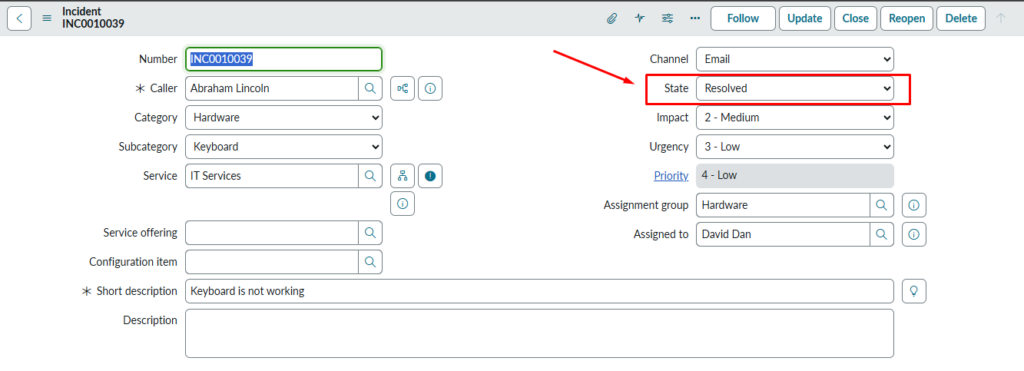
Resolved | Once the issue is fixed and the service is restored, the Fulfiller updates the Incident state to Resolved. |
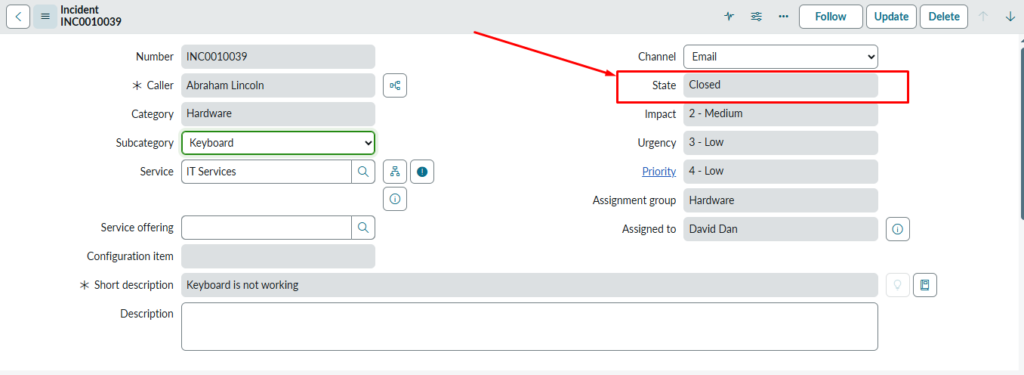
Closed | In this process, the Fulfiller does not manually close the Incident. |
Canceled | when an Incident is no longer valid and does not require any further action or resolution. |
New: When incident is new and still not Assigned.
New Incident Record
This shows a newly created incident.
The State is New, meaning no one has started working on it yet until the incident is assigned to “Assigned to Person”.
In Progress: When the incident is assigned to someone who can solve the incident.
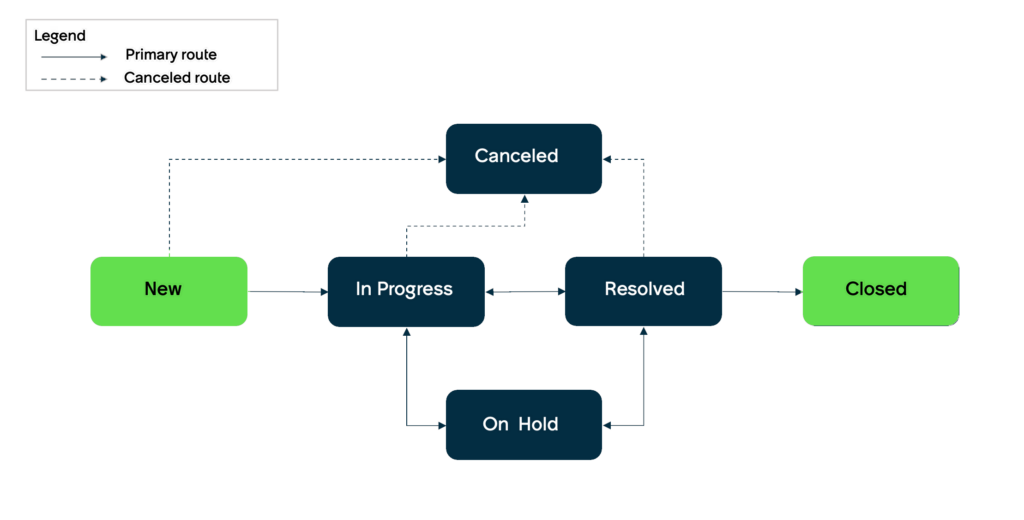
Incident Lifecycle Flow
This flow shows the Incident Management lifecycle in ServiceNow.
An incident flows from New → In Progress → Resolved → Closed.
Optional states like On Hold and Canceled exist based on situations.
Two fields are mandatory before putting your incident on-hold state that is
On hold reason and comments (visible to both Customer and IT staff)
Mandatory Caller Field
The Caller field is mandatory (marked with an asterisk *).
It identifies the user who reported the incident.
An incident cannot be saved without selecting a caller.
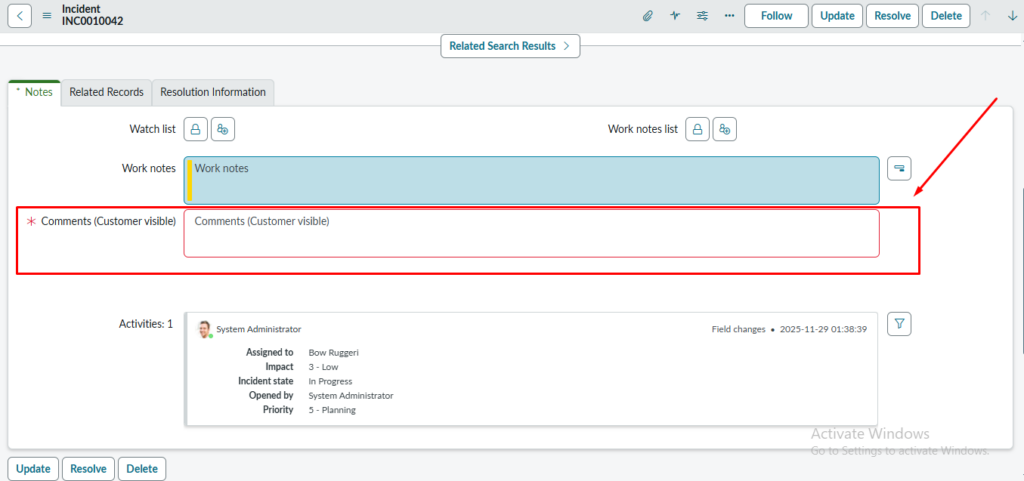
On Hold: The On-Hold state in incident management is a temporary status where the incident resolution is suspended because the team is waiting for necessary action from the caller. In the On Hold state, the on-hold reason field is mandatory.
Impact and Urgency
This screenshot highlights the Urgency field.
Urgency indicates how quickly the issue needs to be resolved.
Along with Impact, it automatically calculates the Priority of the incident.
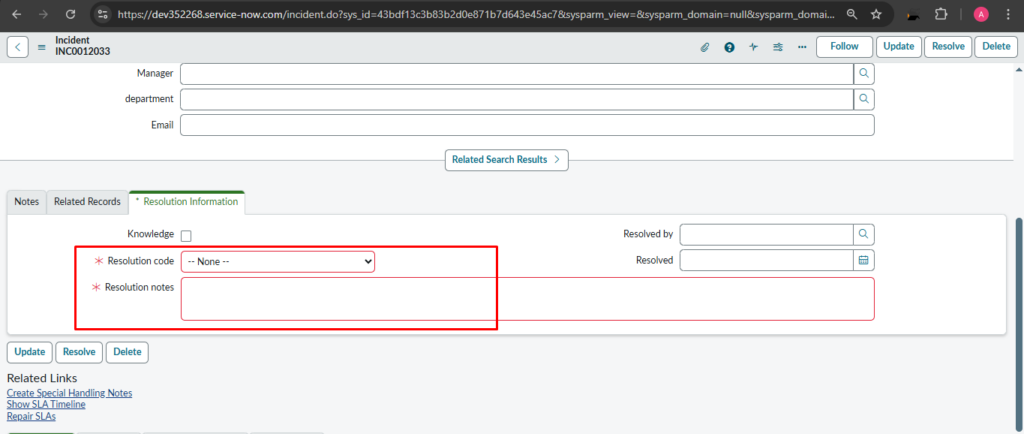
Resolved: The incident considered to be resolved when the service has been resolved to its normal state. The two fields are mandatory to fill.
1) Resolution code
2) Resolution notes
Closed: The incident is closed when issues are resolved, and all necessary actions are completed
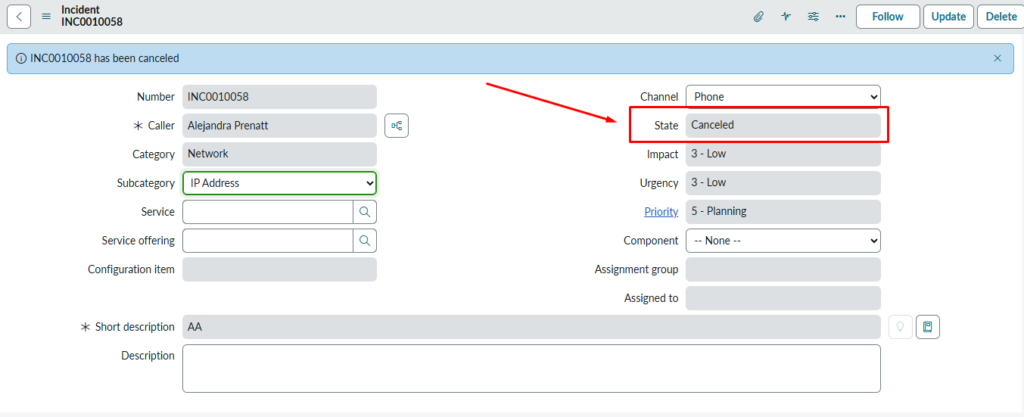
Canceled: The Canceled state represents an incident that is no longer required to be worked on.
This means the incident does not need investigation, troubleshooting, or resolution.
7. Incident Management – Table Fields (ServiceNow)
Table Name: incident
Field Name | Label | Description |
number | Incident Number | Auto-generated unique number for each incident. |
caller_id | Caller | The user who reported the incident. |
short_description | Short Description | A brief summary of the issue. |
description | Description | Detailed explanation of the issue. |
category | Category | High-level classification (e.g., Network, Hardware, Software). |
subcategory | Subcategory | More specific classification under category. |
impact | Impact | Scope of the incident (Low/Medium/High). |
urgency | Urgency | How quickly the issue needs to be resolved. |
priority | Priority | Calculated from Impact + Urgency. |
assignment_group | Assignment Group | The group responsible for working on the incident. |
assigned_to | Assigned To | The person working on the incident. |
state | State | Current status (New, In Progress, On Hold, Resolved, Closed). |
on_hold_reason | On Hold Reason | Reason for putting the incident on hold. |
resolve_time | Resolve Time | Date & time when the incident was resolved. |
close_code | Close Code | Reason for closing (e.g., Solved Permanently, Duplicate). |
close_notes | Close Notes | Notes added by resolver when closing. |
opened_at | Opened At | Date & time incident was created. |
opened_by | Opened By | User who created the incident. |
updated_at | Updated At | Last modified date. |
u_symptom | Symptom | Description of symptoms (custom field in many orgs). |
cmdb_ci | Configuration Item (CI) | CI affected by the incident. |
location | Location | Location of the caller or incident. |
contact_type | Contact Type | How the incident was reported (Phone, Email, Self-Service). |
work_notes | Work Notes | Internal notes by support team. |
comments | Additional Comments | Notes visible to the caller. |
sla_due | SLA Due | When the resolution is due as per SLA. |
reassignment_count | Reassignment Count | Number of times the ticket was reassigned. |
problem_id | Problem | Linked Problem record if related. |
rfc | Change Request | Linked Change request if created from the incident. |
knowledge | Knowledge | Checkbox to suggest a knowledge article. |
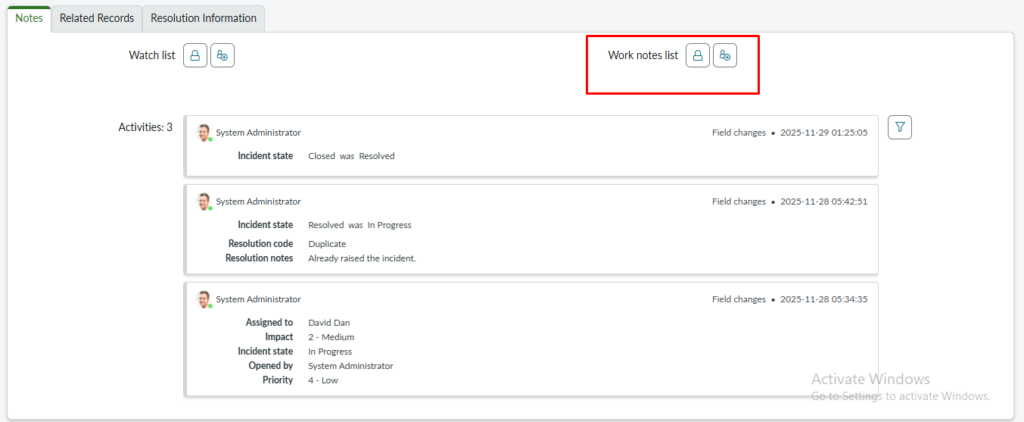
Additional comment
Additional comments are used to capture information visible to and often entered by the end user (Caller) as well as IT staff. It facilitates communication between the service desk and the user.
Work note
This field is used to document internal notes and technical details about the incident, intended for IT staff and support teams only.