Incident Synchronization Between ServiceNow Instances Using Flow Designer and Custom action
Use Case:
When an incident is created in the source ServiceNow instance, a Flow Designer custom action triggers an outbound REST API call to create the same incident in a target instance. The target instance returns a JSON response, which is parsed and stored back in the source incident for confirmation and traceability.
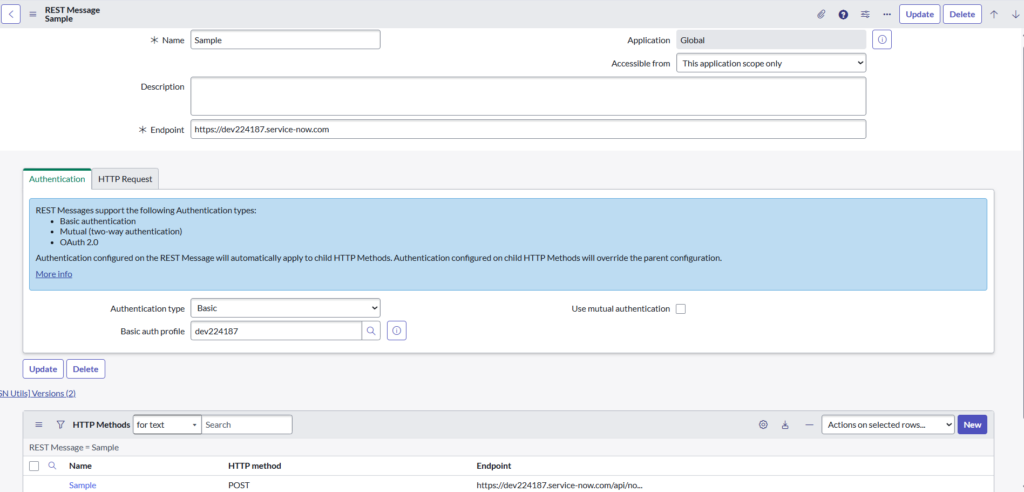
Step 1: Created a REST Message
- Navigated to System Web Services → Outbound → REST Message
- Created a REST Message named Sample
- Set the target instance URL as the endpoint
- Configured Basic Authentication using a REST credential profile
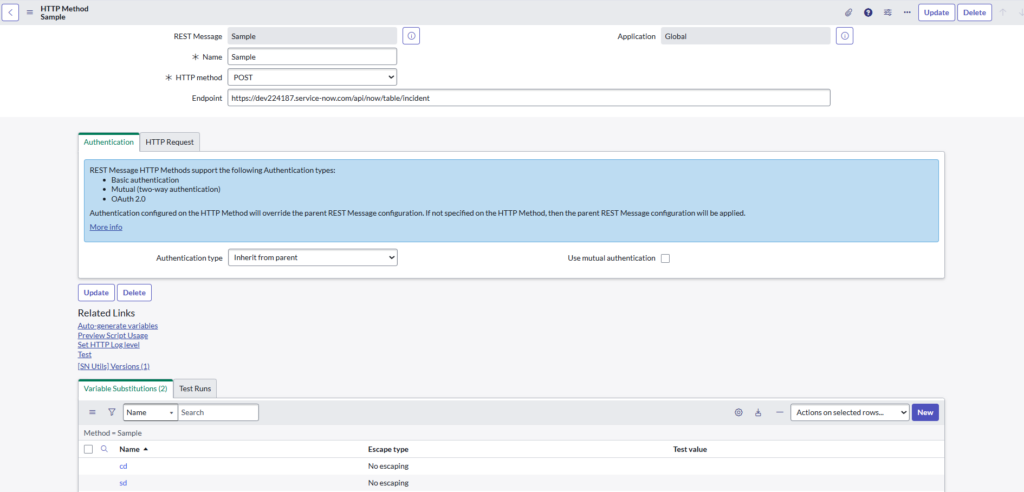
Step 2: Configured HTTP Method
- Added an HTTP Method named Test
- Selected POST method
- Set endpoint to
https://myinstance.service-now.com/api/now/table/incident
- Added HTTP headers:
- Accept: application/json
- Content-Type: application/json
- Defined JSON request body using variables:
- short description
- caller
- Id
- Content:
{
“sys_id”:”${id}”,
“caller_id” : “${cd}”,
“short_description” : “${sd}”
}
Step 3 :Created a Flow
- Created a Flow named Create Incident Through Integration
- Configured trigger as Incident Created or Updated
- Selected Incident table as trigger source
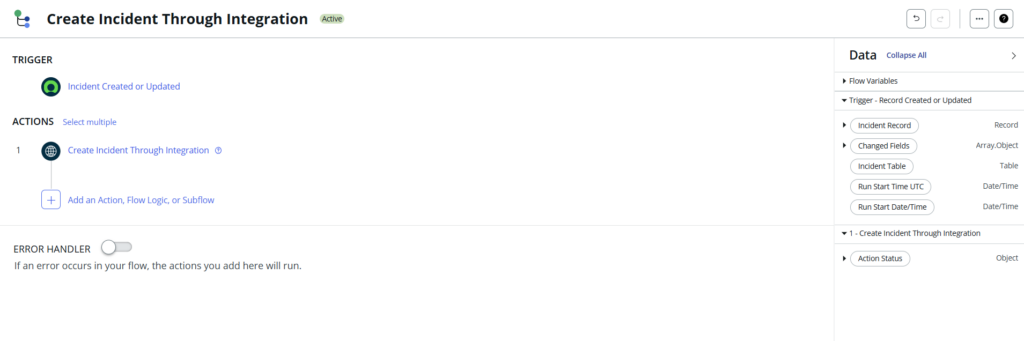
Step 4 : Created a Custom Action
- Added a custom Action to the flow
- Defined input variables:
- sd → Short Description
- cd → Caller (Sys ID)
- id → Incident ID
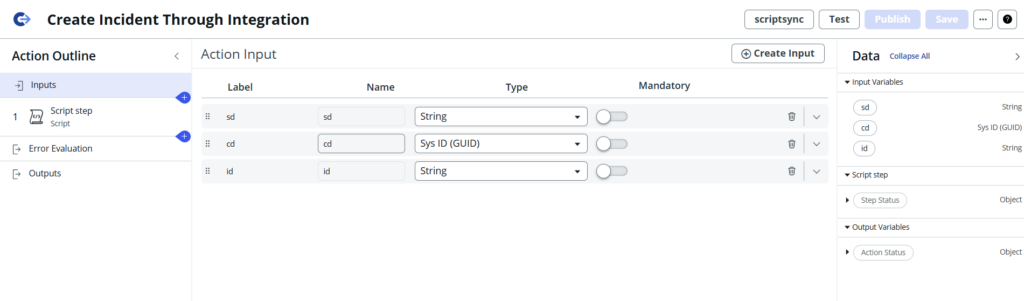
Step 5 : Mapped Flow Data to Action Inputs
- Mapped Incident Short Description to sd
- Mapped Incident Caller to cd
- Mapped Incident Sys ID to id
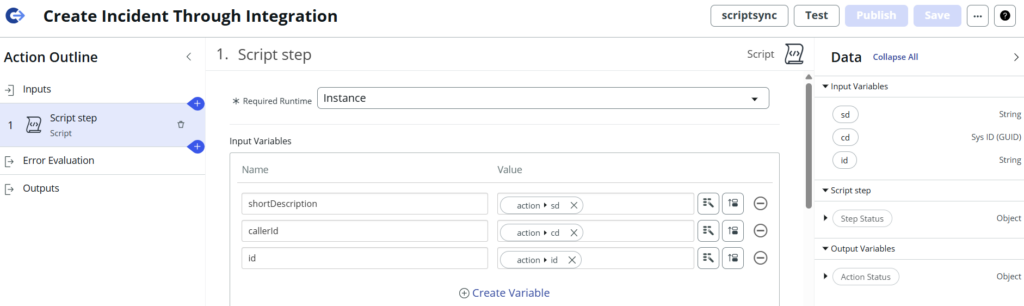
Step 6 : Added Script Step in Custom Action
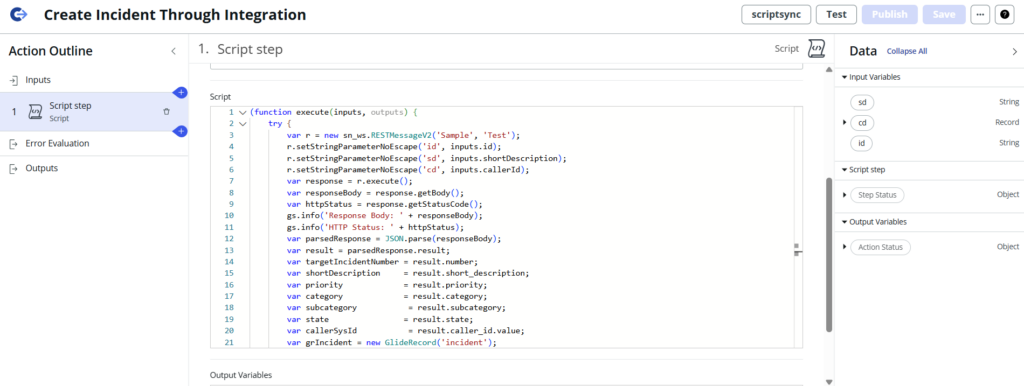
- Used RESTMessageV2 in the script
- Called the configured REST Message and HTTP Method
- Passed input variables to REST message parameters
- Executed the REST call and logged the response
(function execute(inputs, outputs) {
- This is a Flow Designer / Action script
- inputs → values passed from Flow (incident sys_id, short description, caller)
- outputs → values returned back to Flow
try {
- Prevents the integration from failing silently
- Any runtime error goes to the catch block
var r = new sn_ws.RESTMessageV2(‘Sample’, ‘Test’);
- Calls an outbound REST Message
- Sample → REST Message record name
- Test → HTTP method
- This REST Message points to the Target Instance
r.setStringParameterNoEscape(‘id’, inputs.id);
r.setStringParameterNoEscape(‘sd’, inputs.shortDescription);
r.setStringParameterNoEscape(‘cd’, inputs.callerId);
- These parameters are sent to the target instance
- Used to create the incident there
- NoEscape ensures special characters are not altered
var response = r.execute();
- Sends the request to the target instance
- Waits for the response
var responseBody = response.getBody();
var httpStatus = response.getStatusCode();
- responseBody → JSON returned by target instance
- httpStatus → HTTP code (200, 201 = success)
gs.info(‘Response Body: ‘ + responseBody);
gs.info(‘HTTP Status: ‘ + httpStatus);
- Logs response for debugging
var parsedResponse = JSON.parse(responseBody);
var result = parsedResponse.result;
- Converts JSON string → JavaScript object
- All incident details are inside result
var targetIncidentNumber = result.number;
var shortDescription = result.short_description;
var priority = result.priority;
var category = result.category;
var subcategory = result.subcategory;
var state = result.state;
var callerSysId = result.caller_id.value;
- Reads individual values from target instance
- These fields confirm incident creation success
var grIncident = new GlideRecord(‘incident’);
if (grIncident.get(inputs.id)) {
- Opens the Source Instance Incident
- Uses inputs.id (source incident sys_id)
grIncident.description =
“Incident successfully created in Target Instance\n\n” +
“Target Incident Number: “ + targetIncidentNumber + “\n” +
“Caller Sys ID: “ + callerSysId + “\n” +
“Short Description: “ + shortDescription + “\n” +
“Priority: “ + priority + “\n” +
“Category: “ + category + “\n” +
“Subcategory: “ + subcategory + “\n” +
“State: “ + state;
grIncident.update();
}
- Stores target incident details
- Helps with traceability and auditing
} catch (ex) {
gs.error(‘Integration Error: ‘ + ex.message);
}
})(inputs, outputs);
- Logs errors if REST call or parsing fails
Step 7: Executed Integration via Flow
- When an Incident is created in the source instance
- Flow triggers automatically
- Custom action runs and sends data to target instance
- REST API creates a new Incident in the target instance
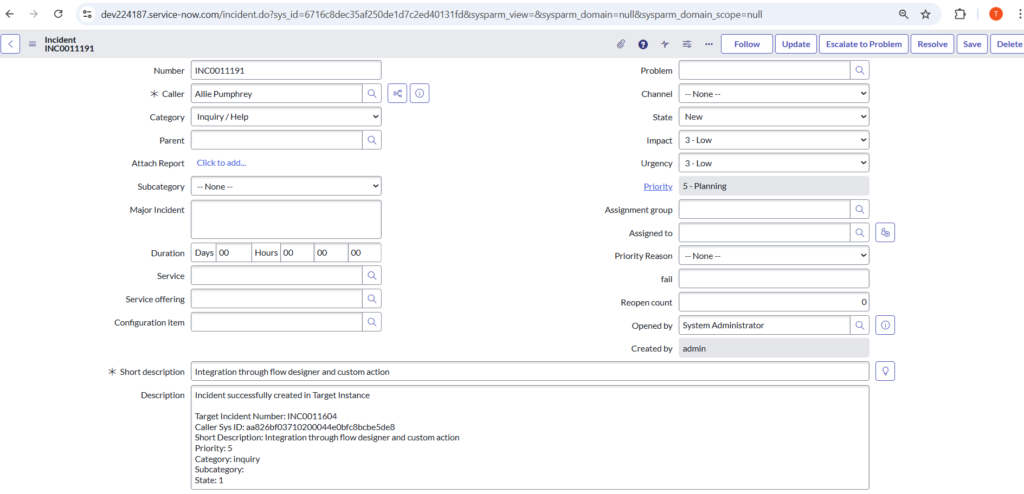
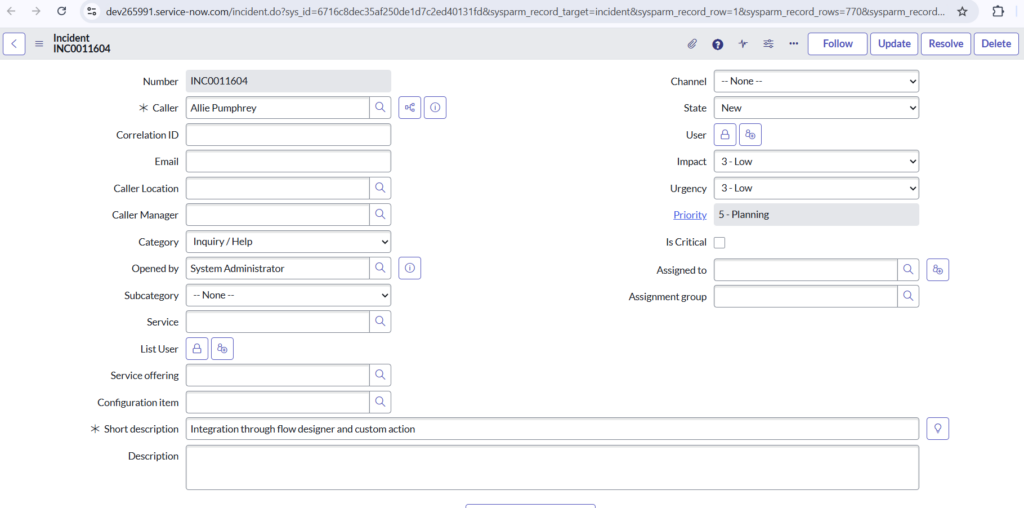
Source Instance:
Before Integration Trigger:
- This is the source instance incident
- At this point:
- Incident exists only in source
- REST integration has not yet written back any data
- This incident is the trigger for your Flow Designer + Custom Action
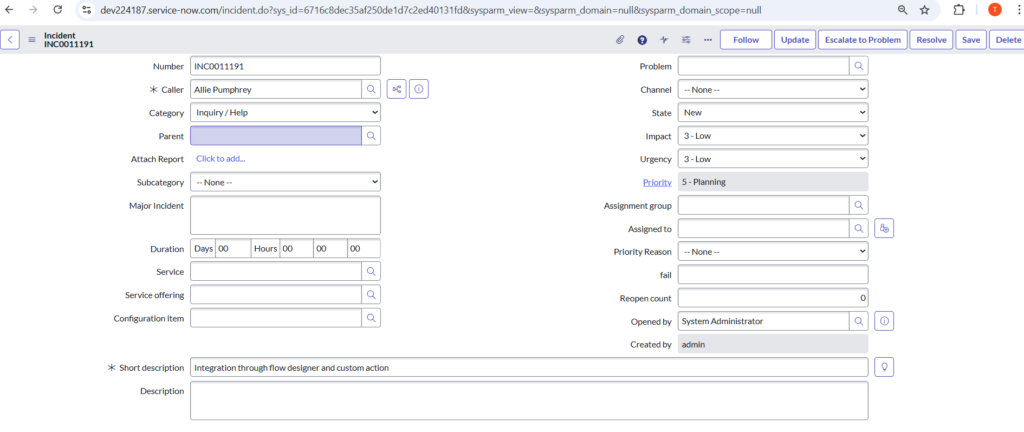
Target Instance:
- This incident was not manually created
- It was created by:
- Inbound REST API on target instance
- Triggered from source instance
- Field values match what was sent in REST request
Source Instance:
After Integration Execution
- The Description field is now populated automatically
- REST call executed successfully
- Target incident was created
- JSON response was parsed correctly
- Source incident was updated programmatically