Service level Agreements (SLA)
Service Level Agreement
It is a contract between the service provider and the customer that ensures response and resolution of tasks within a specified timeframe.
SLA timer
The SLA timer component is to track the amount of time required to complete the task as defined by the matching SLA definition.
Response –
It is the time taken to acknowledge the ticket.
Eg – Time required to give response for an incident such as assignment of incident to the user.
Resolution –
Actual time taken to resolve a ticket.
Eg- Time required for resolve the incident.
OLA –
An Operational Level Agreement (OLA) is an agreement that defines service commitments between internal teams or supporting organizations to ensure SLAs are met. (e.g., Network Team & Service Desk)
SLA Conditions-
Start Condition –
- The SLA starts when this condition evaluates true.
- Example: Incident state is New or In Progress
Pause Condition –
- Defines when the SLA timer is temporarily stopped.
Time is not counted while the pause condition is true.
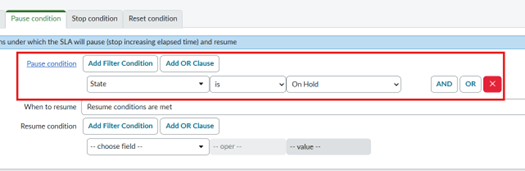
- Example: Incident state is On Hold, Waiting for customer response
Stop Condition –
- Defines when the SLA timer ends.
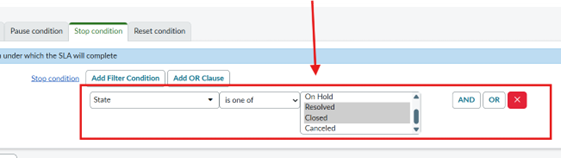
- Example: Incident state is Resolved or Closed
Reset Condition –
- Defines when SLA timing is recalculated as if it started again.
- Eg – when incident is reopened
Scenario:
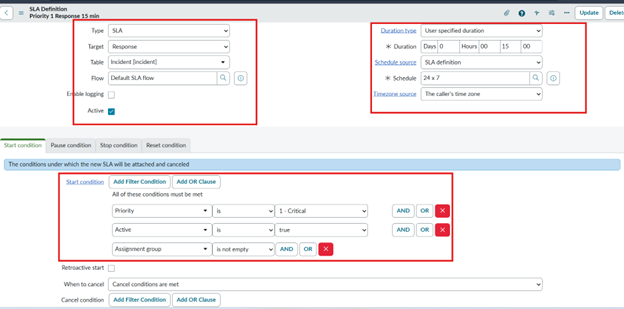
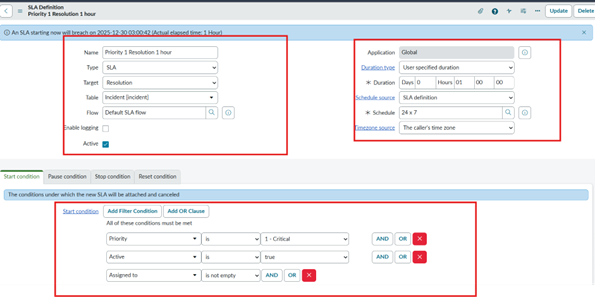
- The organization tracks user-reported incidents with SLAs defined for Priority 1 cases. A Response SLA of 15 minutes starts when the incident is created and assigned to a group and ends when it is assigned to an individual. A Resolution SLA of 3 hours begins at incident creation and ends when the incident is resolved, pausing while the incident is in the On Hold state and resuming once work continues. Both SLAs operate 24/7 based on the caller’s time zone.
- Navigate to → All → SLA → SLA Definitions → New
Solution –
1.Create an SLA record for Priority 1 with a 15-minute response time, as per the configuration below.
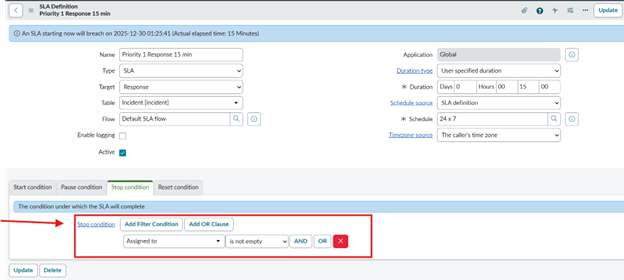
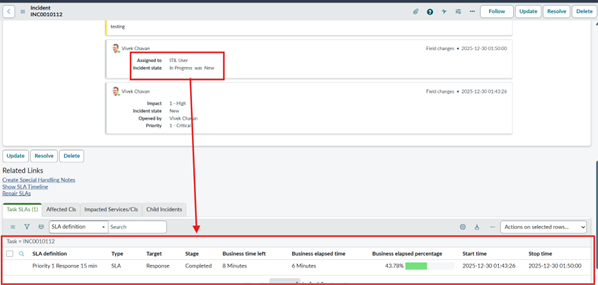
2.Response SLA will be completed when it is assigned to any user.
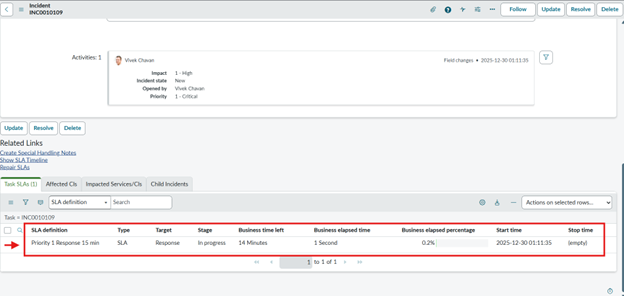
3.Create an incident record with Priority 1 and assign it to any assignment group. The Response SLA is attached to the incident in the related list.
4. The Response SLA timer is breached after 15 minutes.
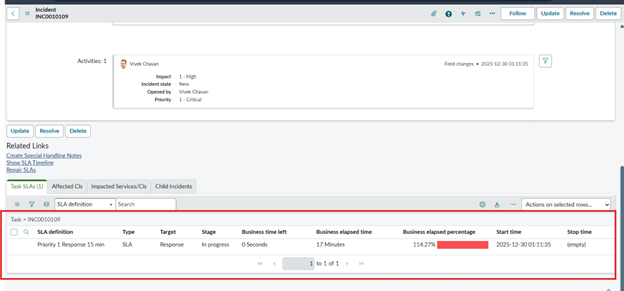
5.The Response SLA is marked as completed once the incident is assigned to a user.
6.Create Priority 1 Resolution SLA as below
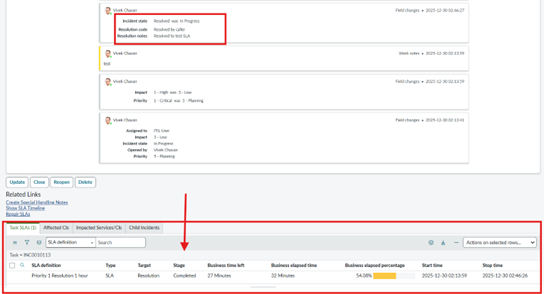
7.The SLA is paused when the incident is On Hold, and business time is not calculated.
8.The SLA timer stops when the incident is resolved or closed, and the SLA state is marked as completed.
9.Create an incident record with Priority 1 and assign it to the user as shown below. The Resolution SLA will be attached to the incident.
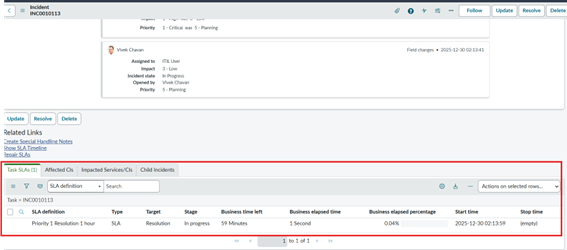
10.After the incident is resolved, the SLA state is marked as completed once the stop condition is met.