Notification: A Notification in ServiceNow is used to automatically send messages (Email, SMS, Push) to users when a specific event or condition occurs.
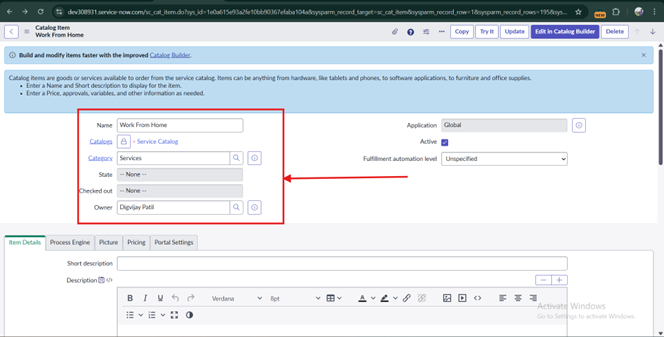
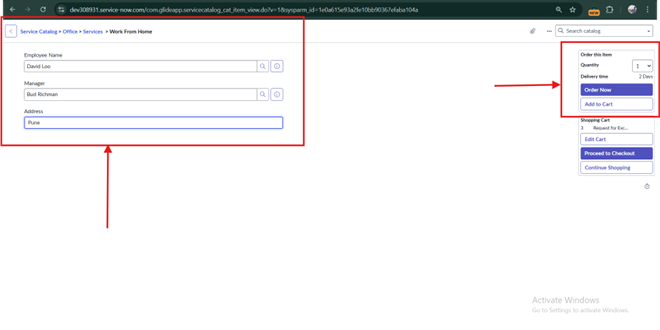
Create Catalog & In Catalog Create Catalog item, For Requesting anything. Example [Work from Home.]
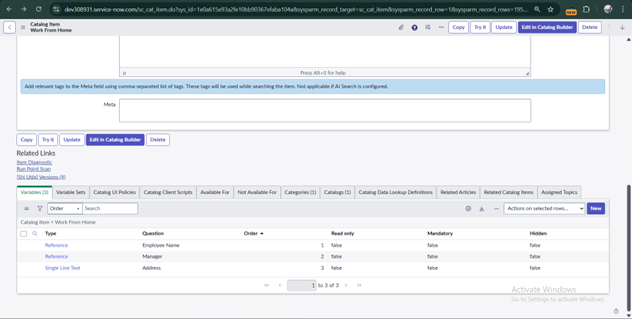
Add Variables in Catalog Items & Save it.
Employee Name
Address
Manager.
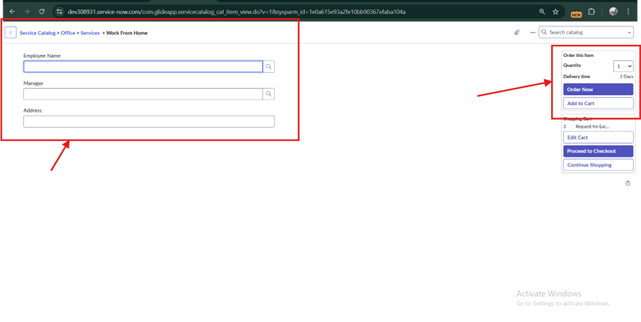
This is Where we can Request anything like (Work fromHome, etc.)
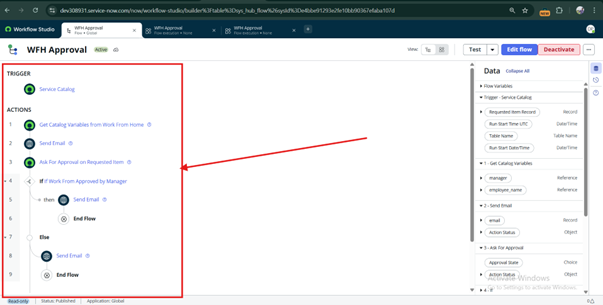
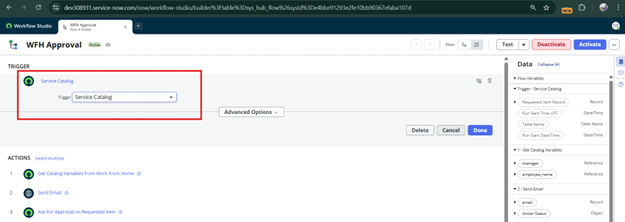
Creating Flow Design for Requesting Work from Home Application to the Manager & getting Response from Manager.
In Flow create Add actions, Create Emails for Request & Approval
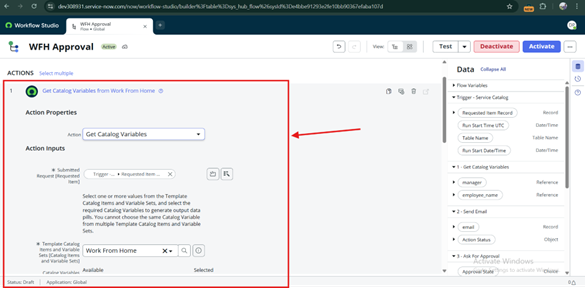
Search Get Catalog variable from Action from Flow design.
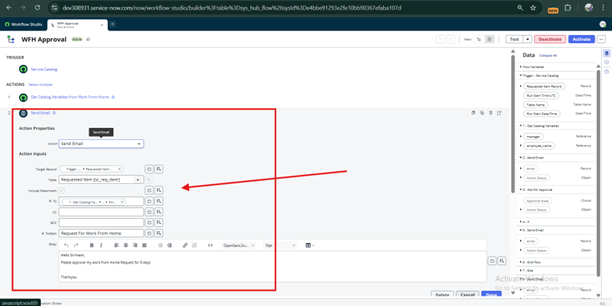
In this Send Email action has been taken, and by this Request WFH email will go to Manager.
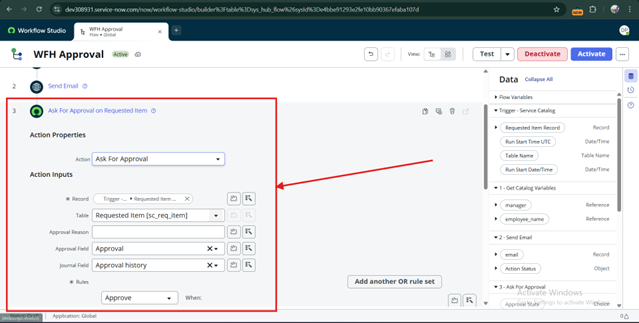
Ask For Approval – Approval must take from group of Manager.
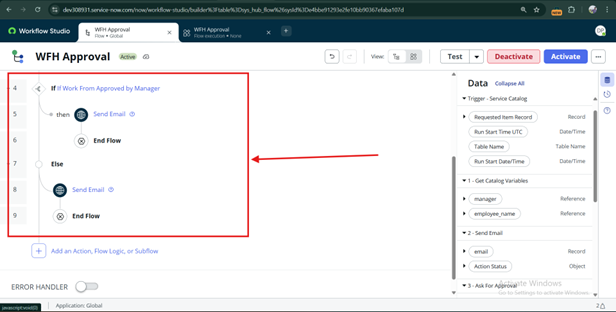
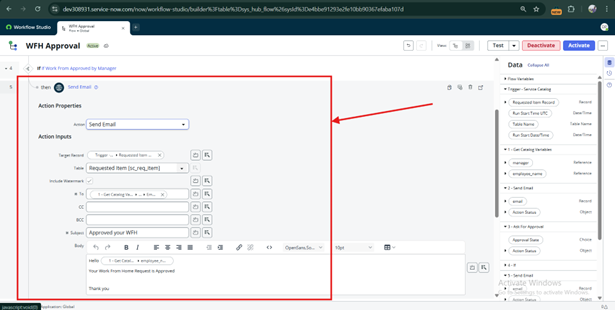
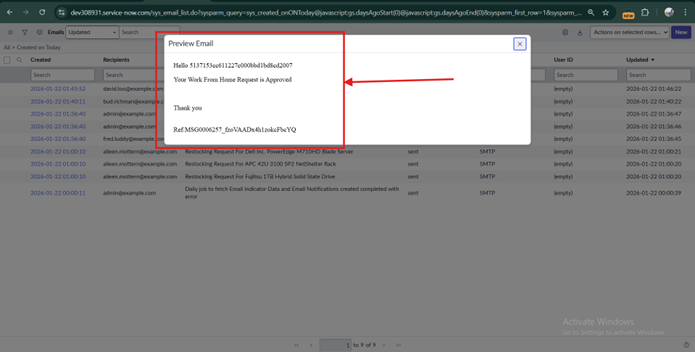
If WFH is Approved from Manager, then Email will send to Employee or Requester.
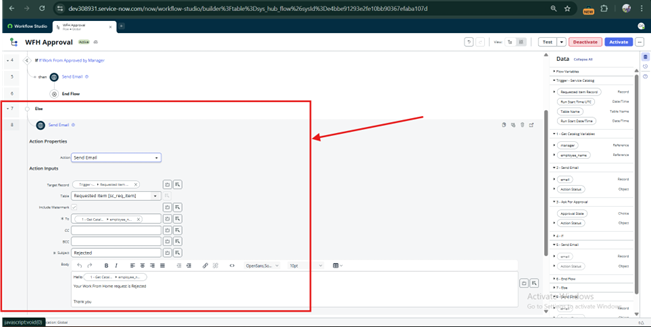
If WFH will Rejected, then Email will go to employee or Requestor of Rejected Request.
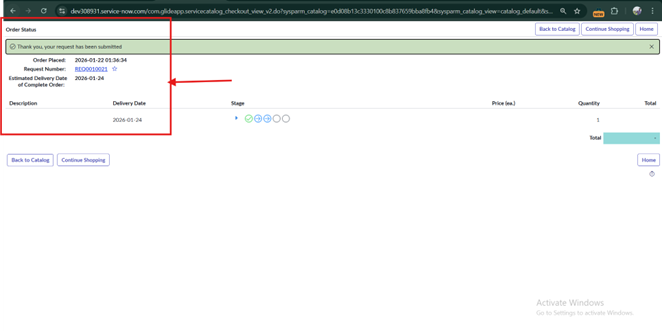
Open Catalog Item Which was Created & Add Request for Work from Home
After Requested, there will be Request Number will be Generate. Click on that. It will Request Form
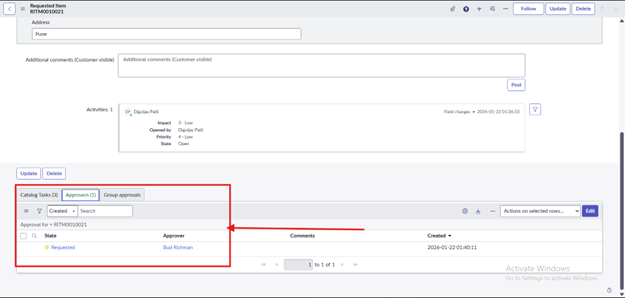
In Request Form there will be RITM click on that there will show Approves, in this there will Name of Approval Person
Results-:
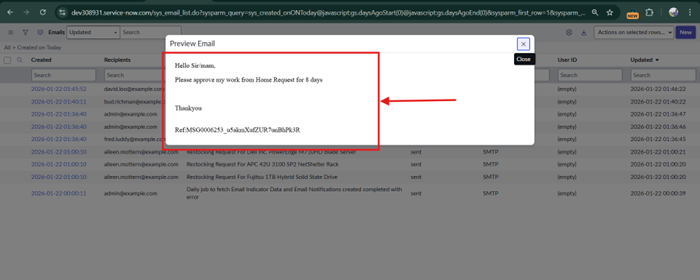
The manager will receive an Email Notification that the WFH request is there.
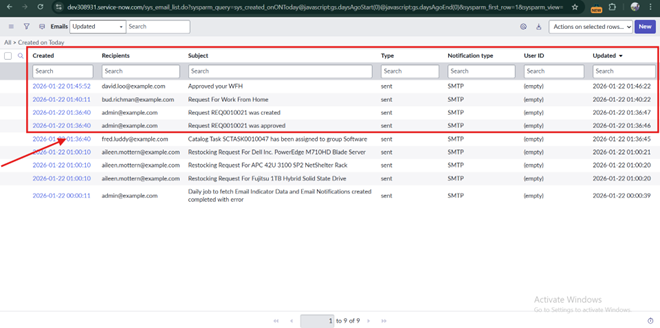
When Manager will Approve or Reject that Request then the Mail will get to Employee that Request is Approve or Reject