Script Action
- What is Script Action:
Script Actions in ServiceNow are server-side scripts that execute asynchronously when a specific event is triggered.
They are part of ServiceNow’s event-driven architecture and are stored in the sysevent_script_action table.
2.Key Characteristics
Asynchronous execution: They run in the background via the Event Queue, so they don’t block the current transaction or impact user performance.
Event-triggered: They are linked to events defined in the Event Registry (sysevent_definition).
Server-side only: Full access to Glide APIs, Script Includes, and other server-side resources (just like Business Rules or Script Includes).
3.How Script Actions Work:
An event is triggered (usually using gs.eventQueue() from a Business Rule, UI Action, Flow, Script Include, etc.).
The Event Processor picks up the event from the queue.
The matching Script Action (if active) executes.
In the Script Action, you have access to two main objects:
current — The GlideRecord of the record associated with the event (if provided).
event — A GlideRecord containing event details, especially event.parm1, event.parm2, event.parm3, etc., for passing custom data.
4.Usecase:
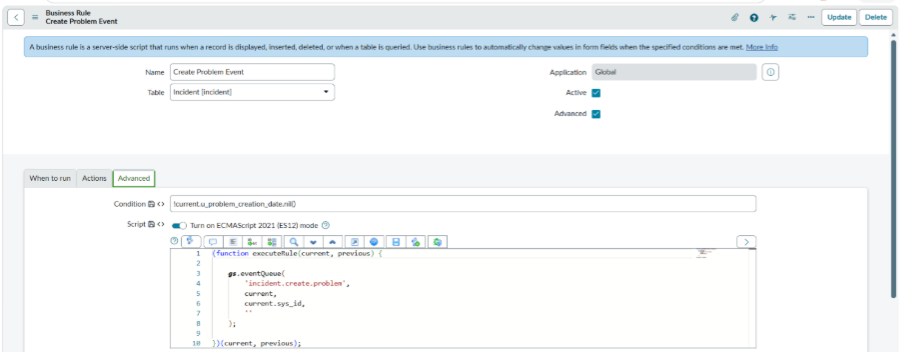
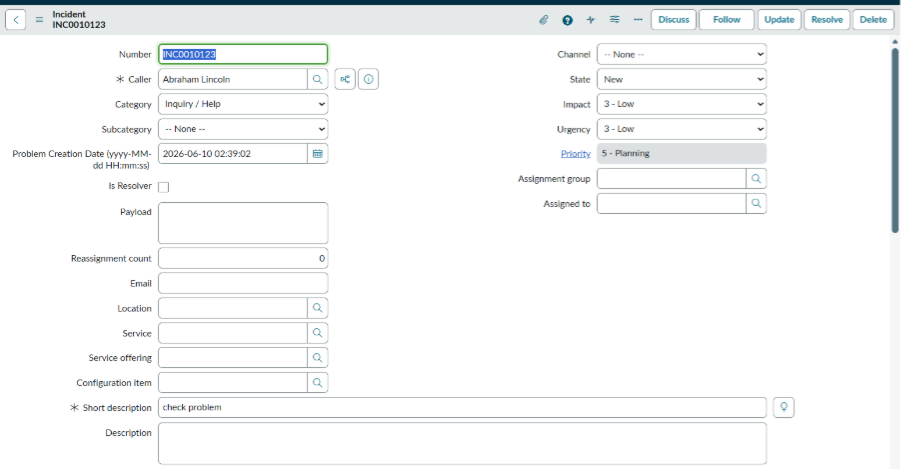
There is a date field on incident form so whenever user select date after saving the form automatically it should create a Problem Record.
Execution:
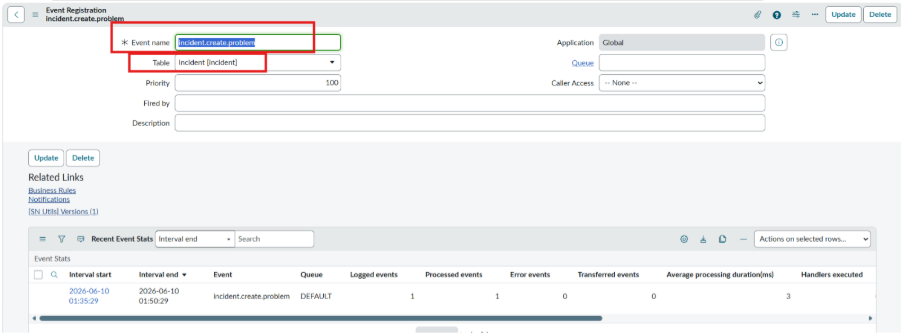
Navigation: Event–>Registry
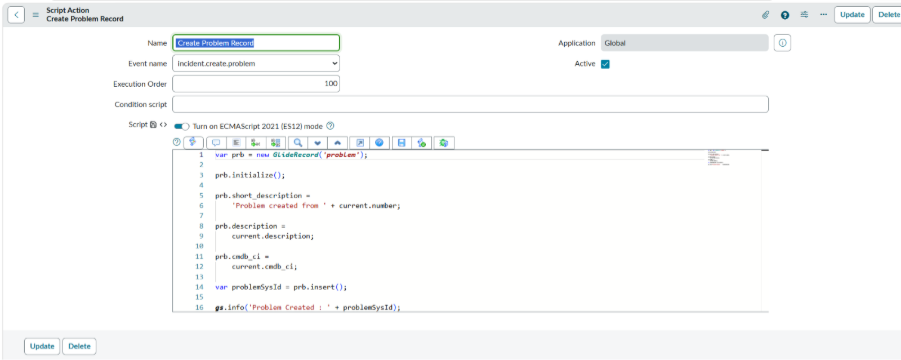
Navigation: Script Action
Navigate:Business Rule
For Execution Test Create new Incident with date and time
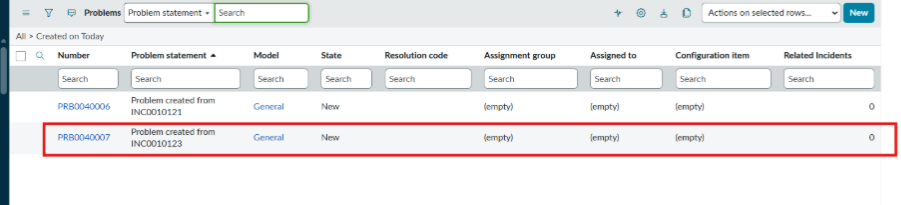
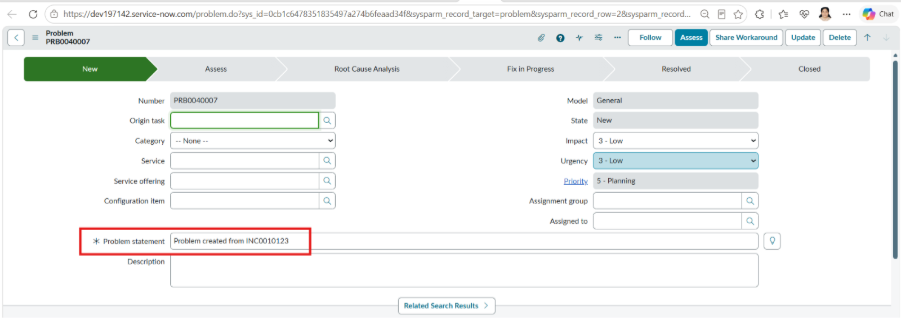
Go to navigation and check the Problem record