A Decision Table in ServiceNow is a no-code / low-code rule engine that helps you make business decisions based on conditions and outcomes, without writing complex scripts.
How to Create the Decision table-:
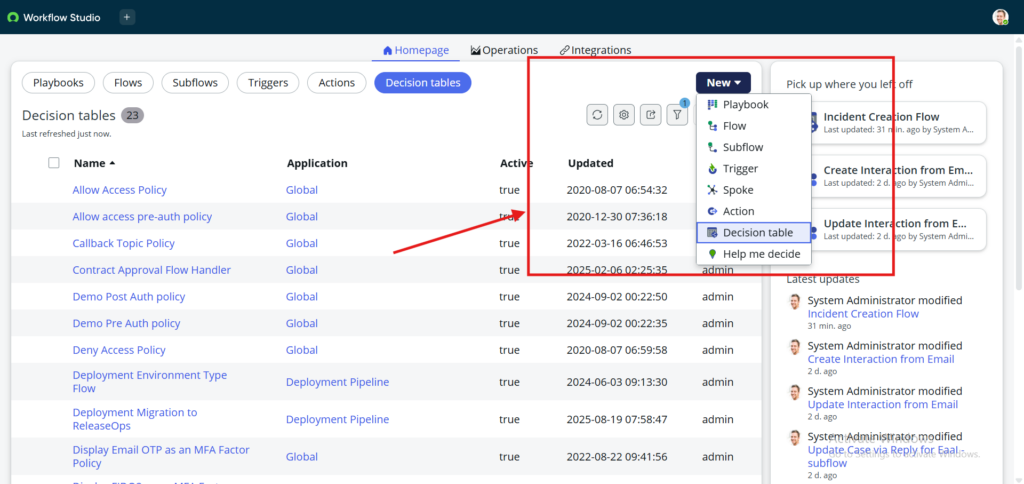
Step 1-:Navigate to Flow Design and Click on new–>Decision table.
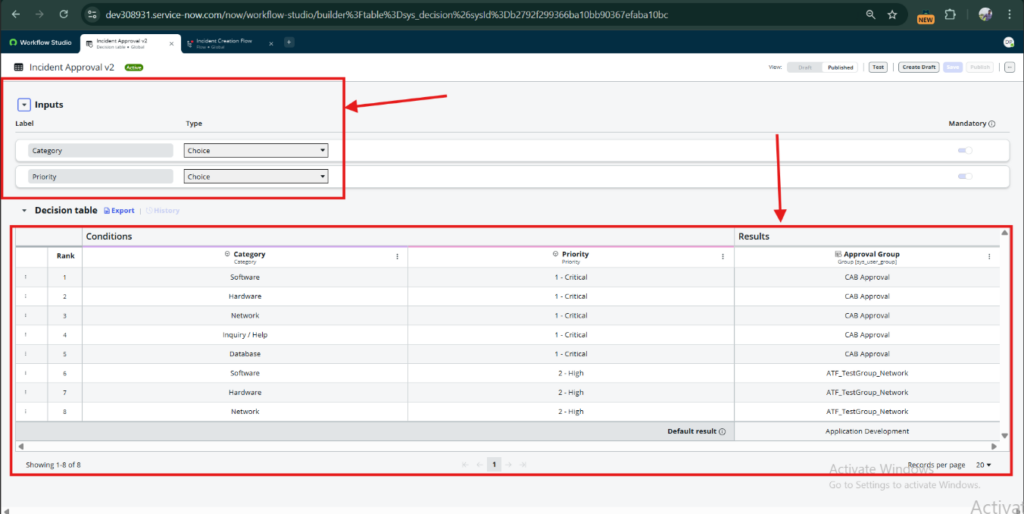
Step 2-: Add Table Name –>Inputs –> Then apply conditions & Results–> Save & Publish
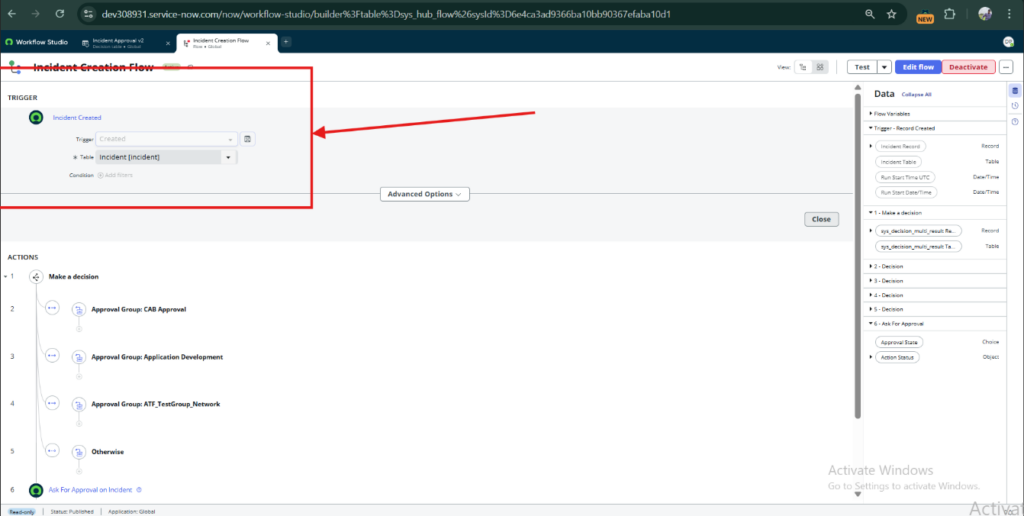
Step 3-: Open new Flow, Then add triggered (incident table name)
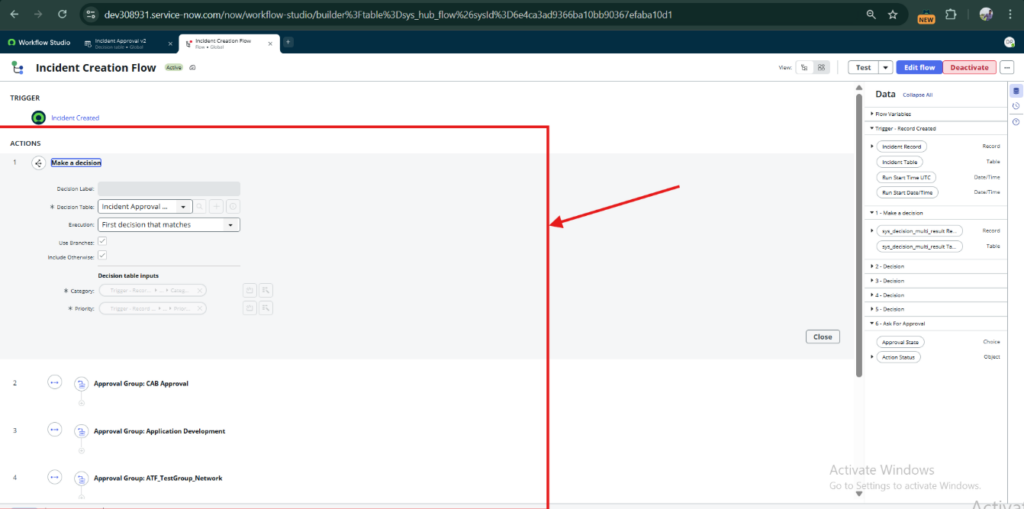
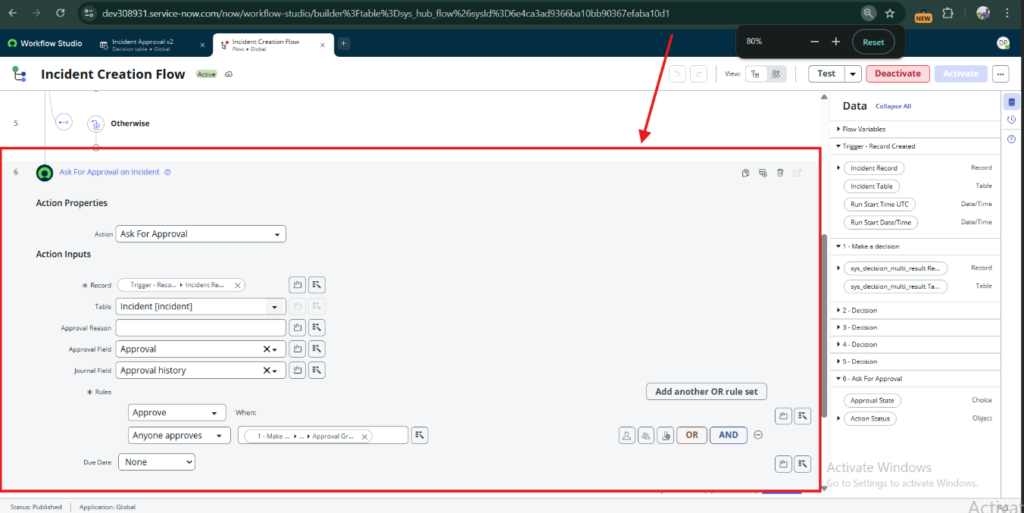
Step 4-:Add Action -:Make a decision–> Add Yours decision table name (“Incident Creation Flow”)
Step 5-: Then Add Action: Ask for Approval —>In Record take Incident record –>In anyone approvesadd: Approval Groups.
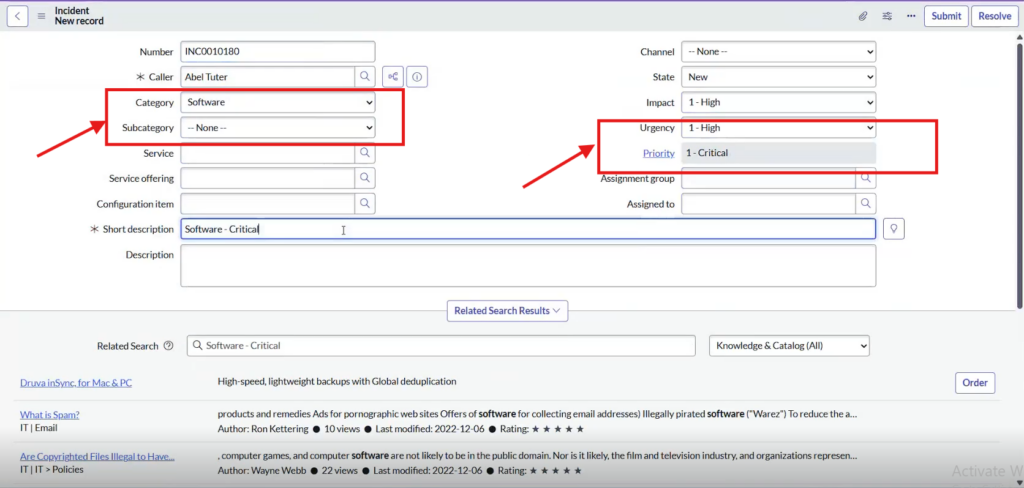
Step 6-: Now Create Incident with (category–software, Priority – 1) & Submit it
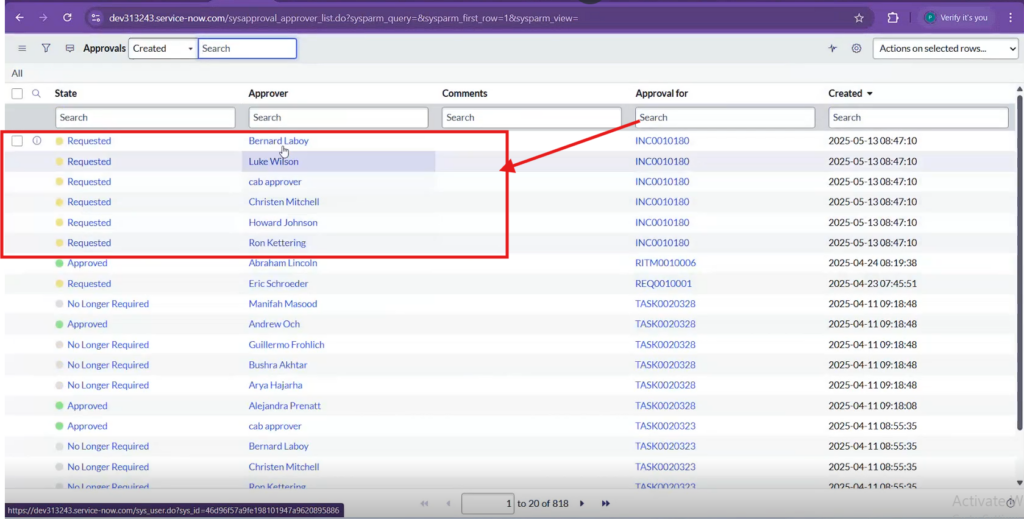
Step 7-: After Creating Incident it will go to Approvals team.