
Custom Action in ServiceNow
- What is Custom action
Custom Actions are reusable action which extend the capabilities of a flow by allowing developers to create custom logic using JavaScript.
- Why do we need custom action?
- Custom Actions can be created by developers to perform specific tasks or actions within a flow that are not available through the out-of-the-box actions provided by ServiceNow
- Custom Actions can be used to query external systems, manipulate data, or perform any other task that can be accomplished using JavaScript.
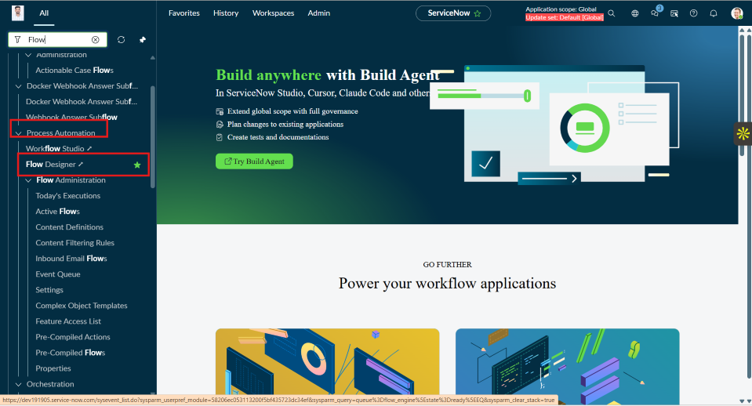
- To create custom action just go to navigator and search for the flow designer, in Process automation we can see the Flow Designer.
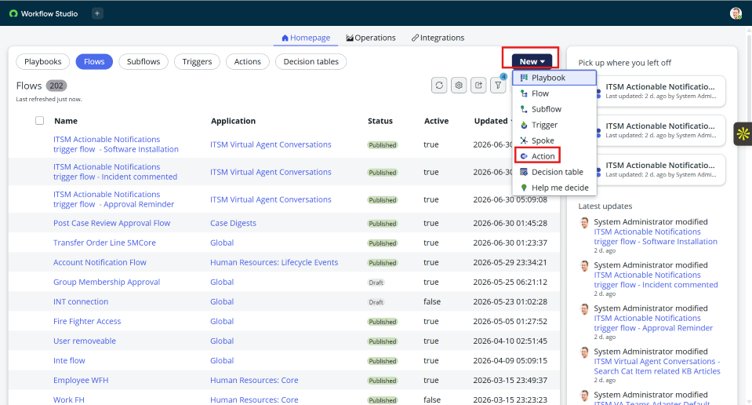
- After select flow designer you will see following list, click on New button and some option are visible select Action Click on it.
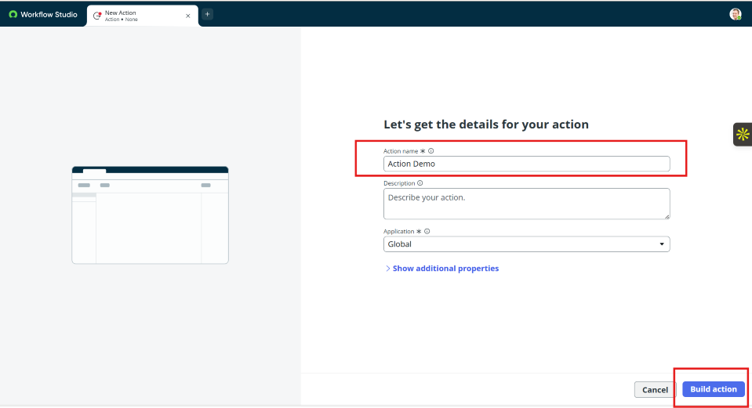
- The next step is to create new action, give some name to that action and click on Build action button.
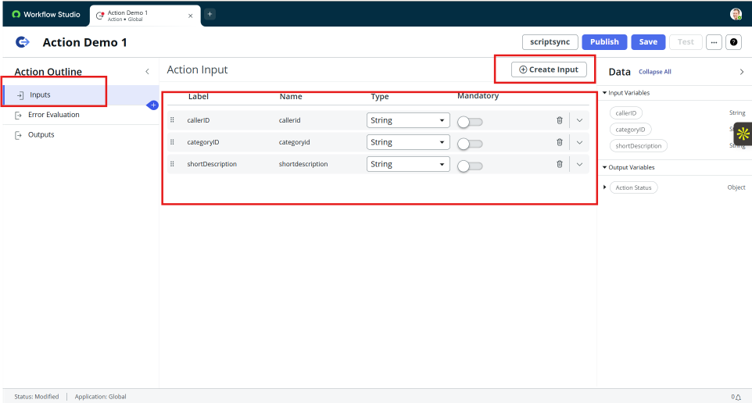
- Now add inputs, for that click on create inputs and add three inputs for the action. Here I have created three inputs which related to incident.
- For next click the blue + sign below the inputs and search for script and select the script option.
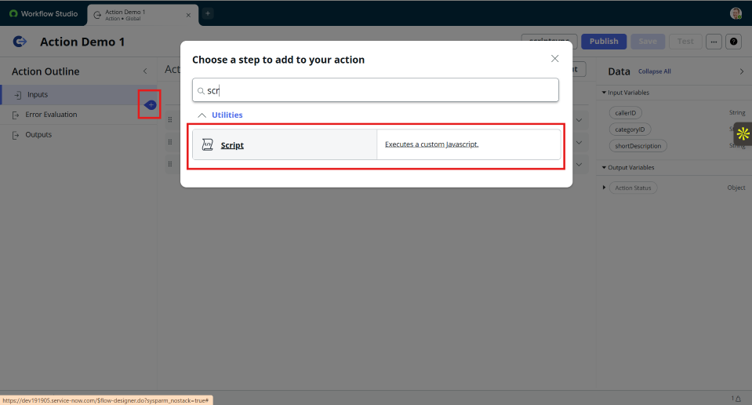
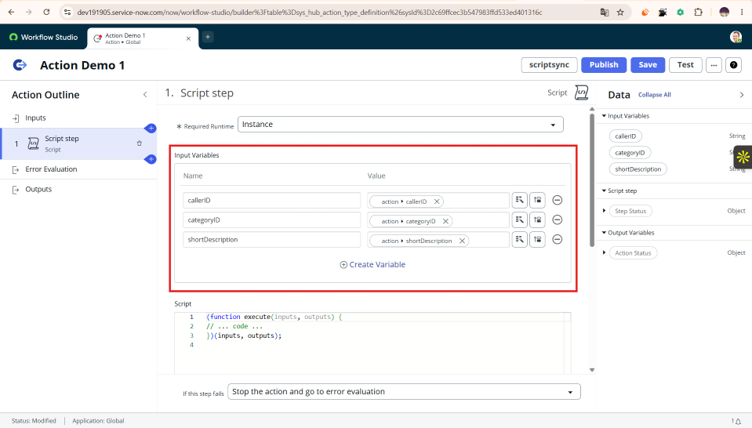
- After selecting script, in script step add same inputs again as we added in our first step. Use data pill for give them value
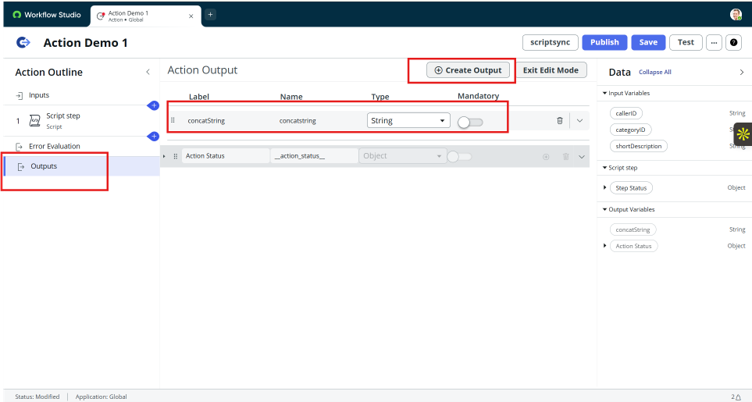
- Then go to outputs and click on create output and add one output as shown in below snapshot. After that click on exit edit mode.
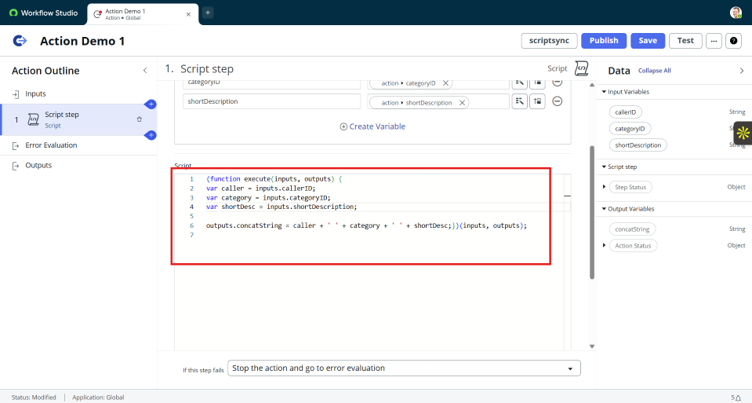
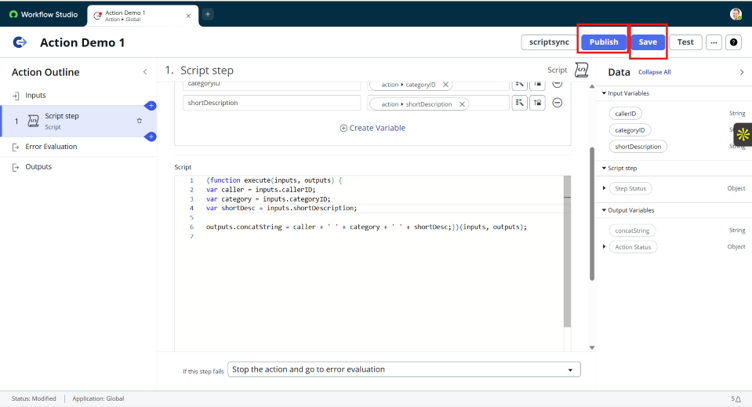
- That write a script in the script step that we have create earlier.
- The next step, click in save button and after the form is get saved click on publish button.
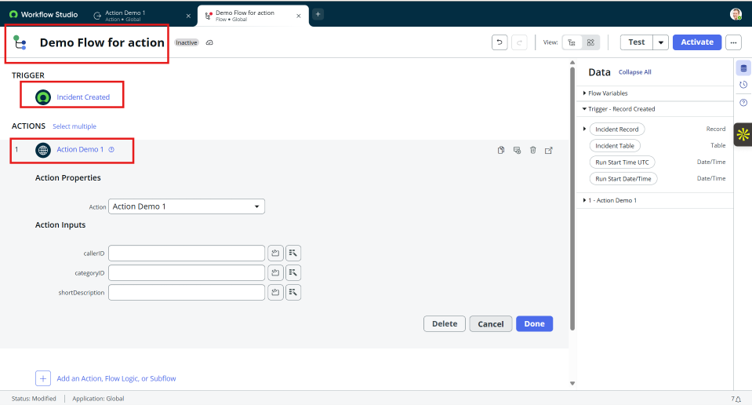
- Now create one Flow designer and set when INC is created and then add our action
- Then I have added our inputs that are created early
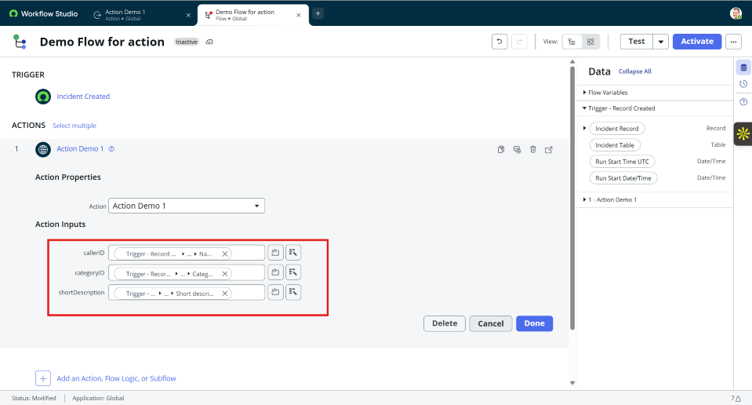
- That’s how we can create and use custom action.
Custom Action in ServiceNow