Playbook
What is a Playbook?
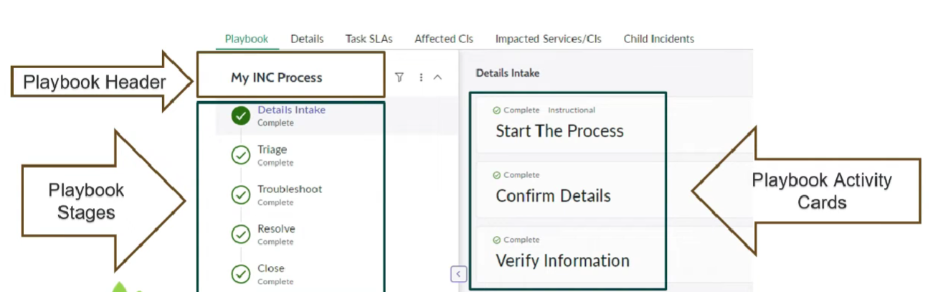
- A playbook helps you interact with a business workflow in real time from within the workspace.
- Agents can use a playbook to update records, upload attachments, and complete tasks across different workflow activities.
- A playbook gives users clear visibility of workflows across the business and shows the tasks needed to complete them.
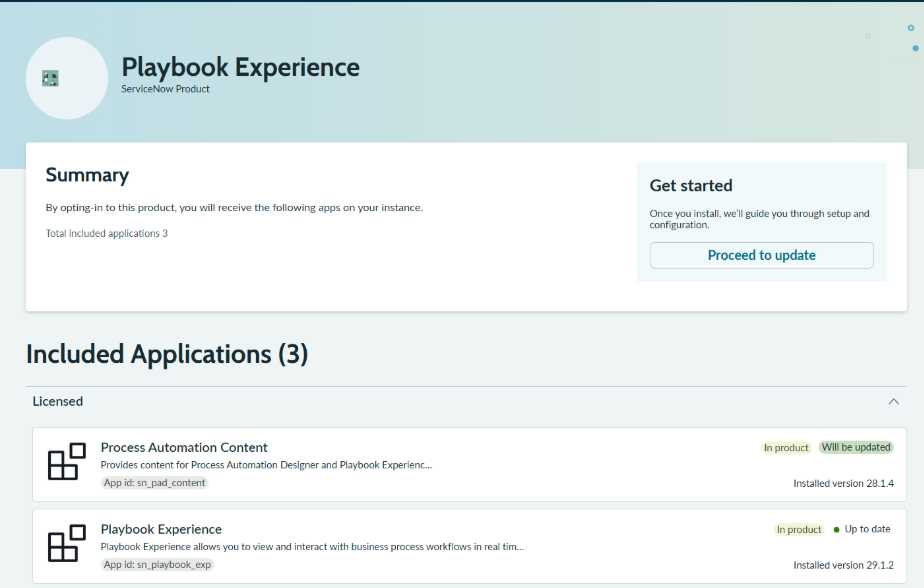
Plugin Required to be installed
Playbook Experience (sn_playbook_experience)
Step-by-step instructions to create a Playbook in ServiceNow
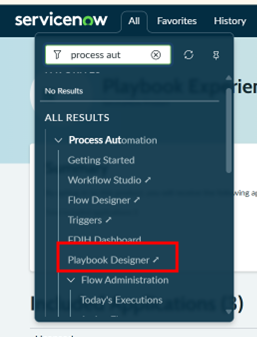
Step 1: Navigate to Playbook Experience
- In the Application Navigator, search for:
Playbook Experience - Click on:
Playbooks
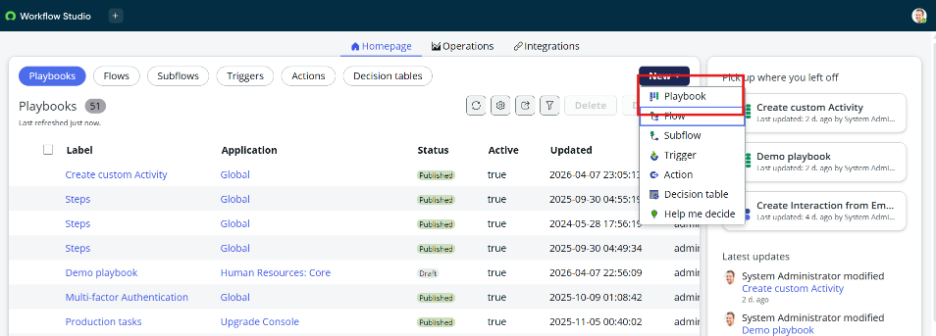
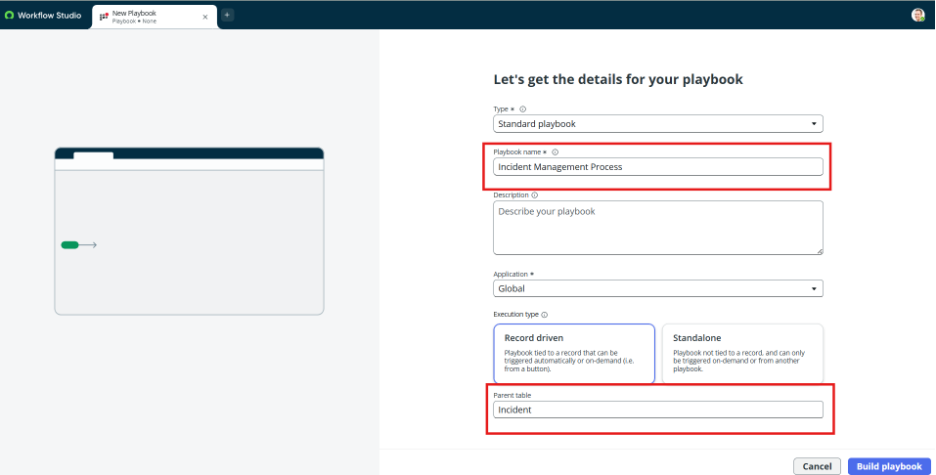
Step 2: Create New Playbook
- Click on New
- Fill basic details:
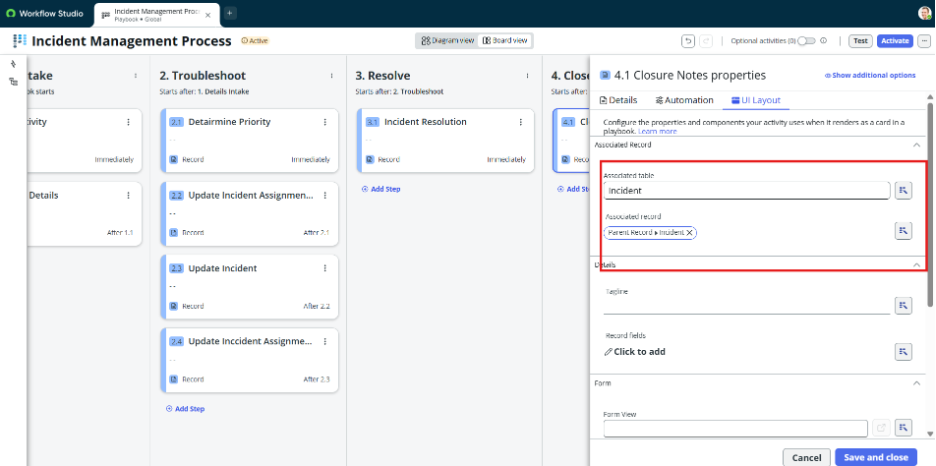
- a.Name – Give playbook name (e.g., Incident Management Process)
- Table – Select table (e.g., Incident)
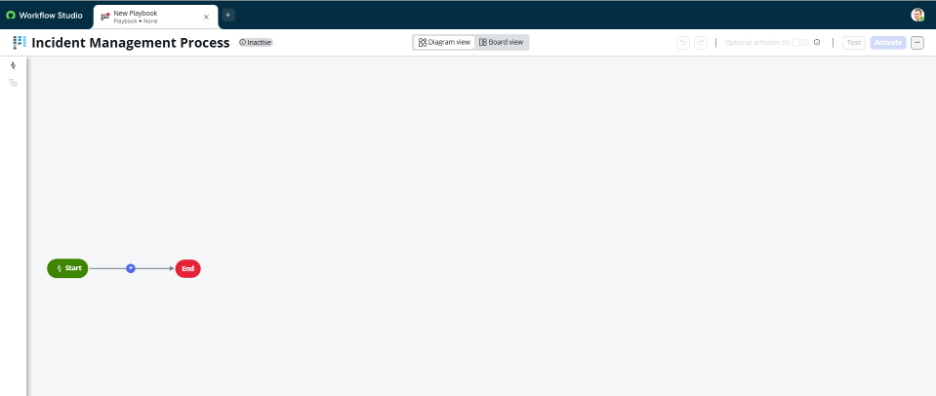
- Build Playbook
Step 4: Define Conditions (When Playbook should appear)
- Add Conditions
- Example:
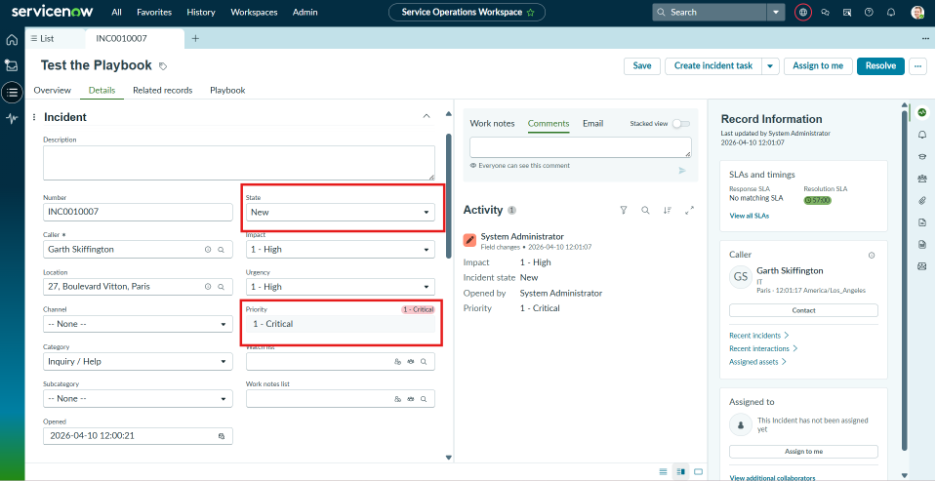
- State = New
- Priority = High
Step 5: Add Playbook Activities
- Open the created playbook
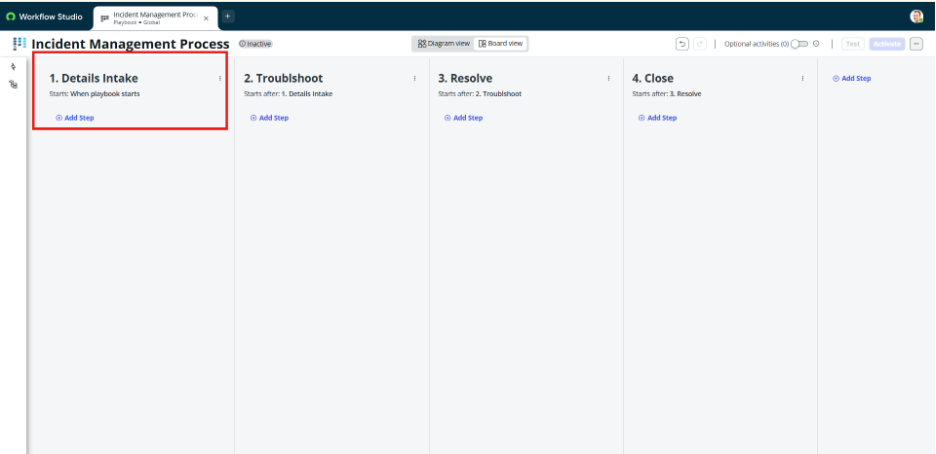
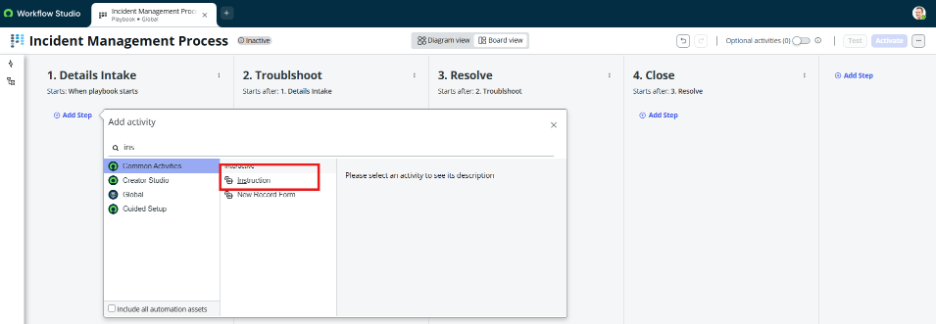
- Click New and add activities like:
- Label – Details Intake
Step 5: Configure Each Activity
For each activity:
- Configure fields to update
- Define mandatory steps if required
Step 6: Define Activity Order
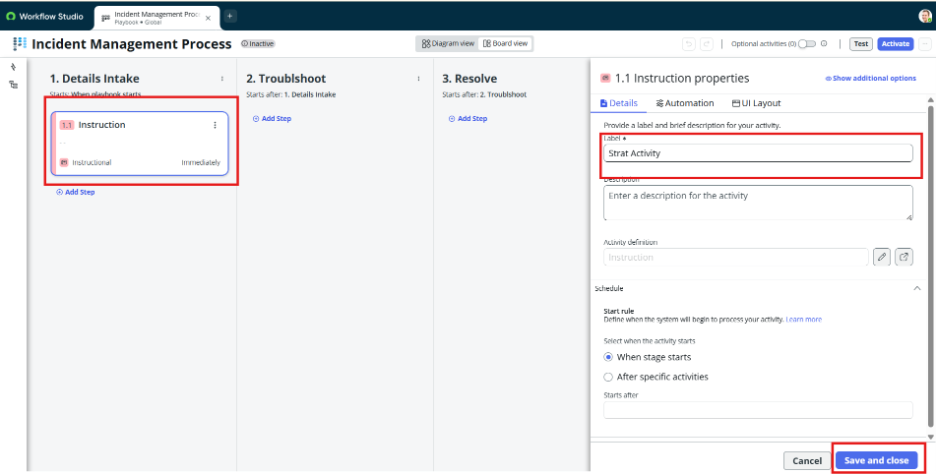
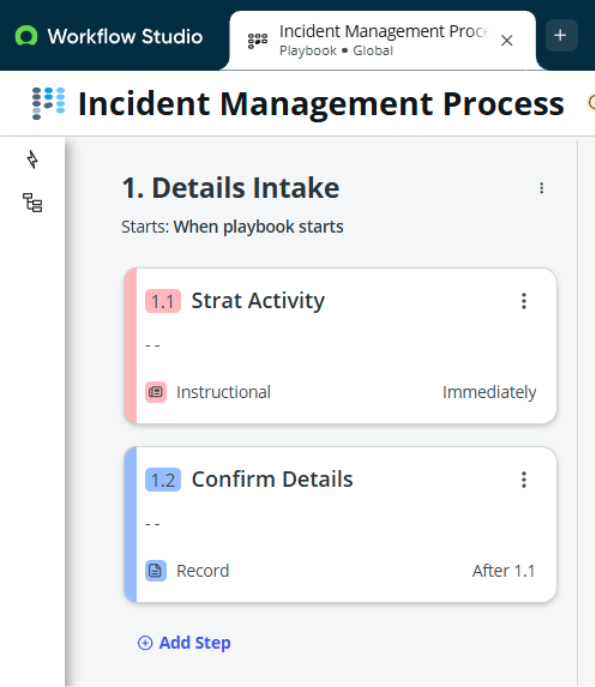
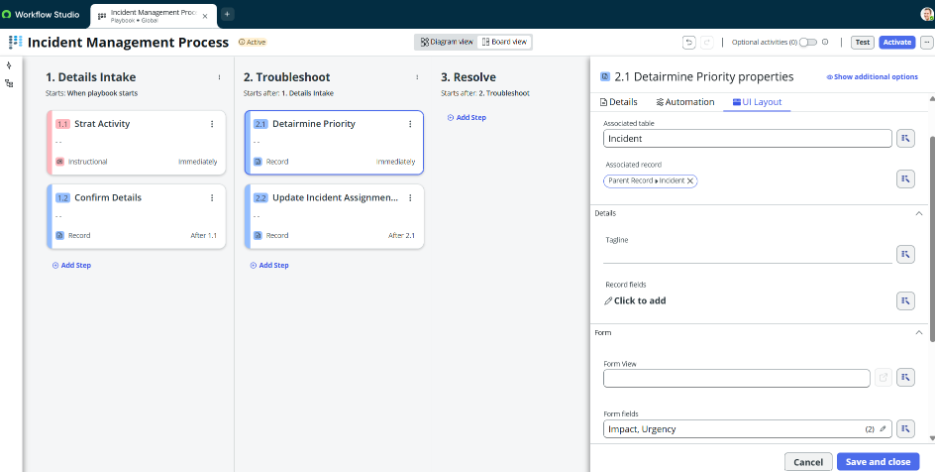
- Arrange activities – Details Intake
- This defines how agent will execute steps
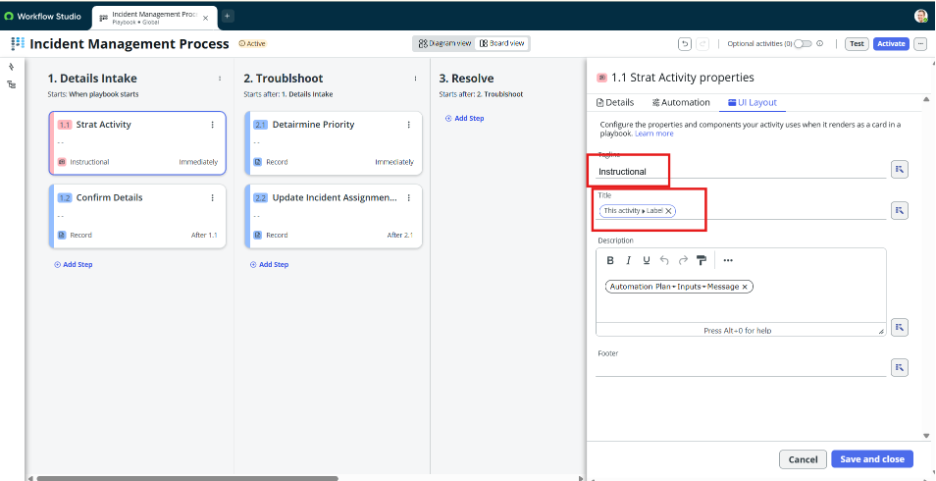
- Instruction (Label – Start Activity)
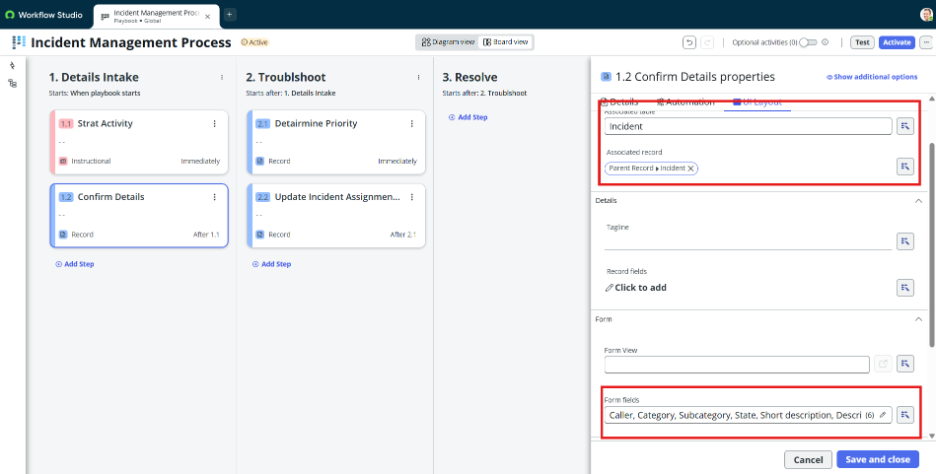
- Record Form (User Form) – Confirm Details
Step 7: Define Activity Order
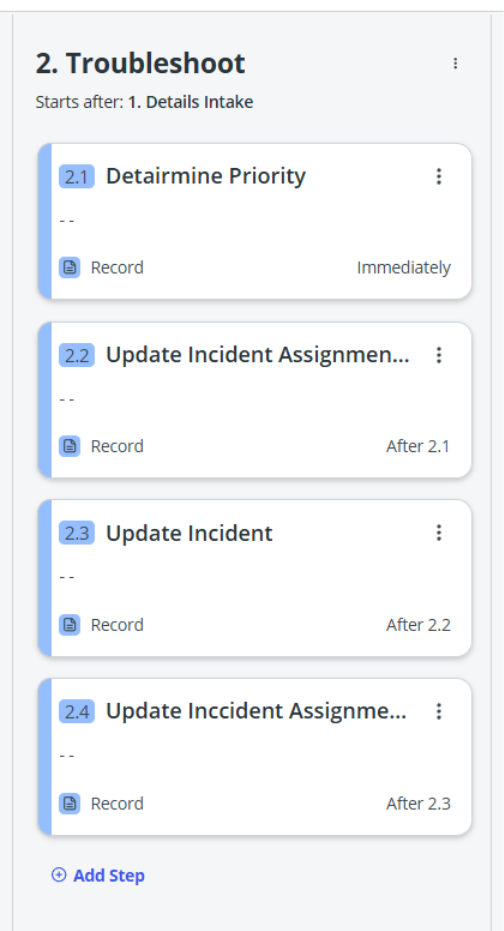
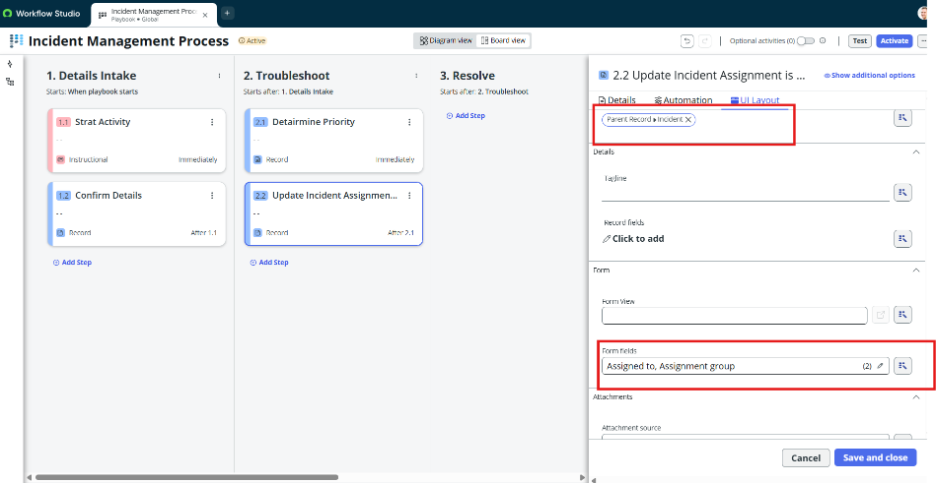
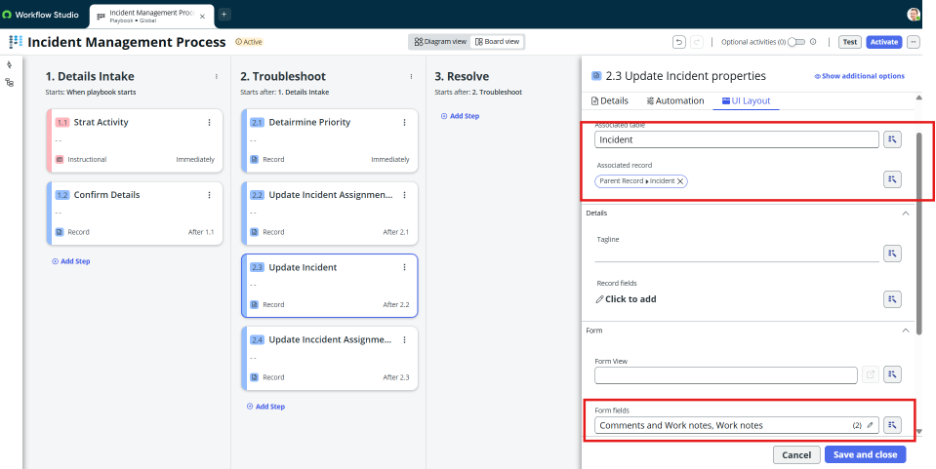
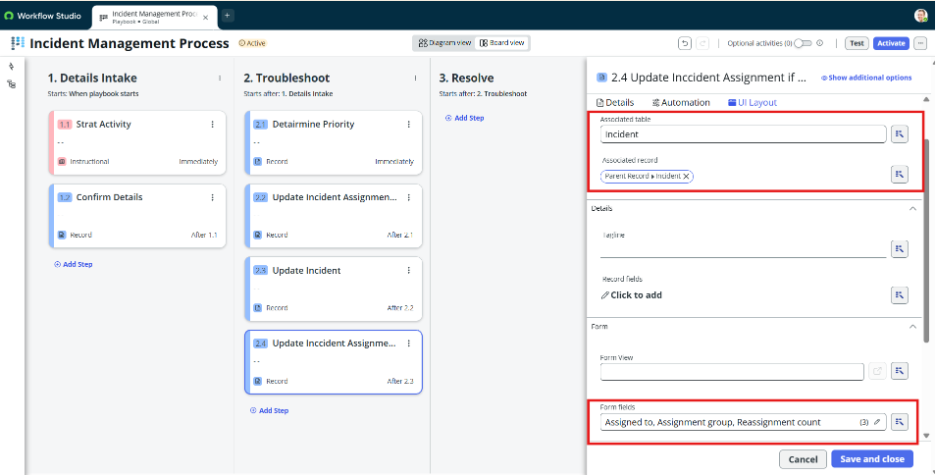
- Arrange activities – Troubleshoot
- This defines how agent will execute steps
- Record Form (User Form) – Determine Priority
- a. Record Form (User Form)– update incident assignment is required
- b. Record Form (User Form) – Update incident
- c. Record Form (User Form) – Update Incident assignment if Required
Step 8: Define Activity Order
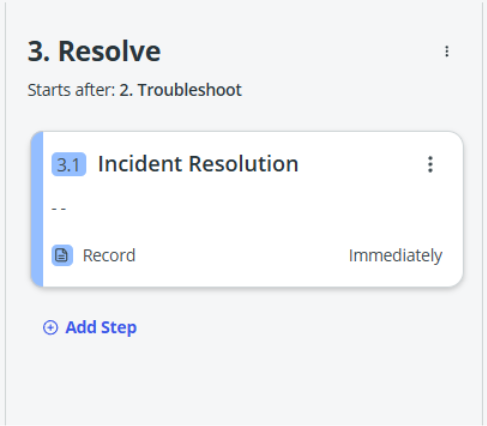
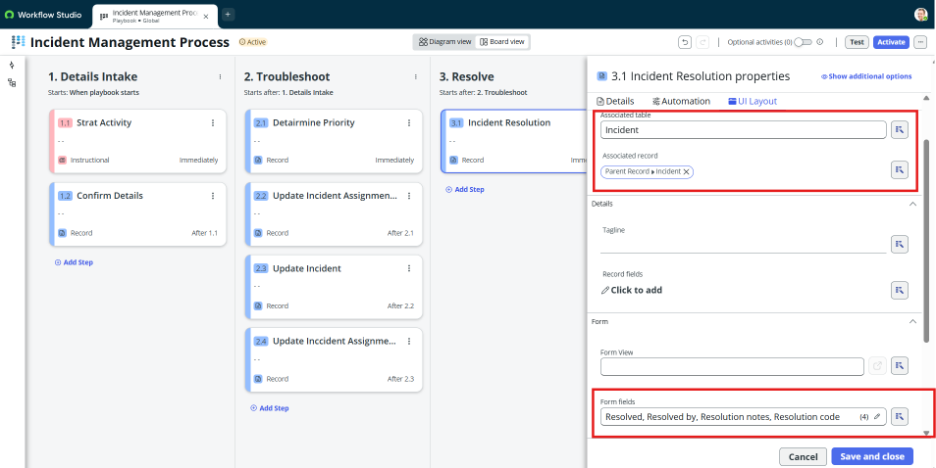
- Arrange activities – Resolve
- This defines how agent will execute steps
- Record Form (User Form) – Incident Resolution
Lorem ipsum dolor sit amet, consectetur adipiscing elit. Ut elit tellus, luctus nec ullamcorper mattis, pulvinar dapibus
Step 9: Define Activity Order
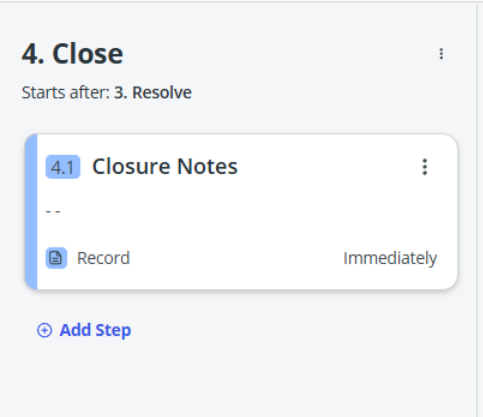
- Arrange activities – Resolve
- This defines how agent will execute steps
- Record Form (User Form) – Closure Notes
leo.
Step 7: Publish the Playbook
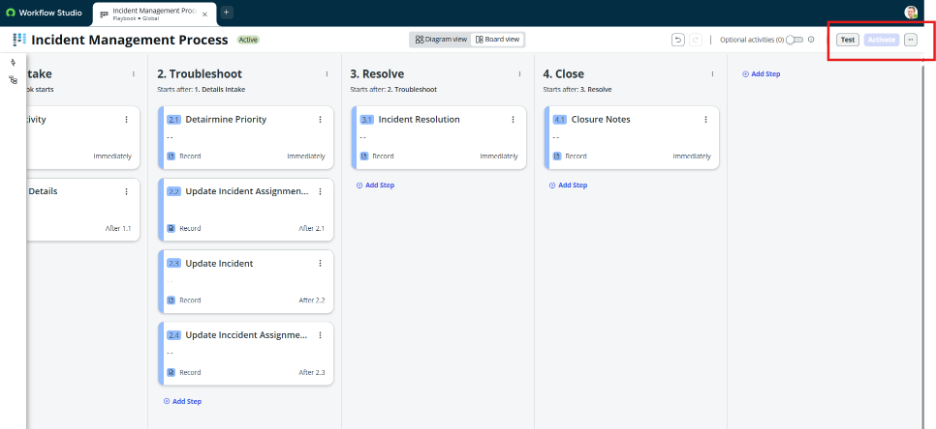
- Set playbook to Active = true
- Save the record
Step 8: Test in Workspace
- Open Agent Workspace / Service Operations Workspace
- Open a record (e.g., Incident)
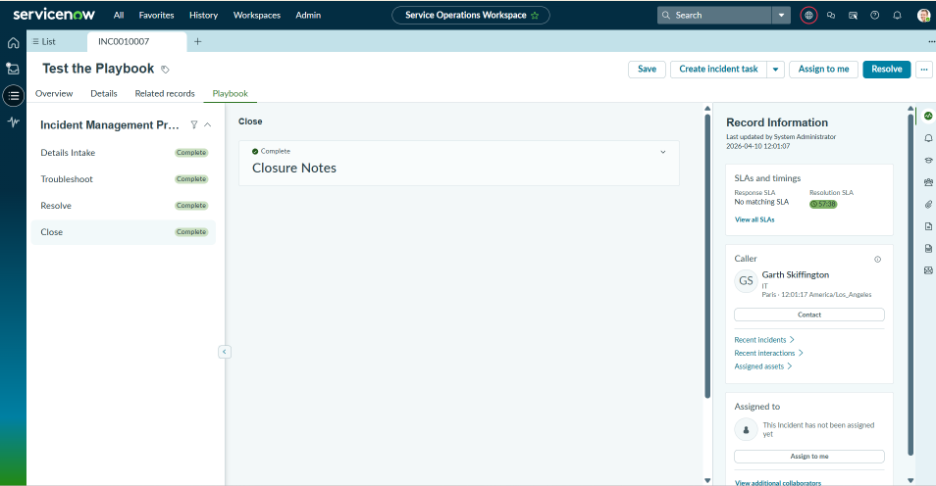
- Check Playbook panel on right side
- Your playbook should appear based on conditions