
Subflow in servicenow
1.Introduction
In ServiceNow, a Subflow is a reusable automation component created using Flow Designer. It is designed to perform a specific set of actions that can be invoked by one or more flows. Subflows help in breaking down complex business processes into smaller, manageable, and reusable units.
A Subflow does not have its own trigger. Instead, it is called from a parent flow or another subflow whenever its functionality is required. This makes subflows ideal for handling common logic such as approvals, notifications, record updates, validations, or integrations.
By using subflows, organizations can reduce duplicate logic, improve consistency, and simplify maintenance. Any change made to a subflow is automatically reflected wherever it is used, ensuring standardized behaviour across processes.
Overall, subflows play a key role in building scalable, modular, and efficient automation solutions in ServiceNow using Flow Designer.
2.Components of subflow
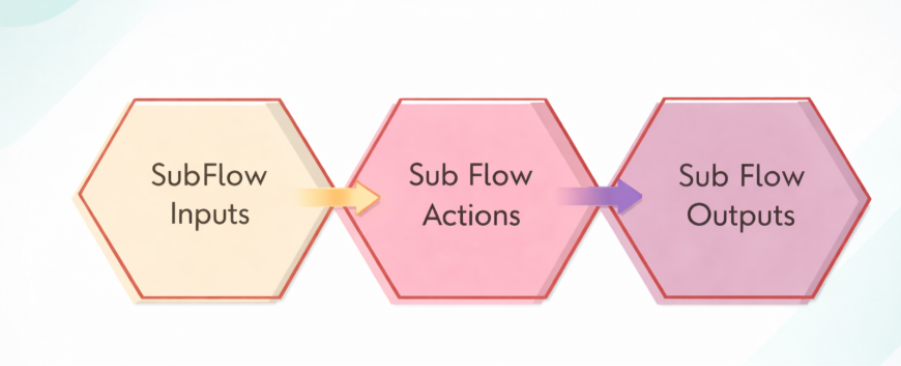
2.1 SubFlow Inputs
- Subflow inputs are the data values that are passed into a subflow when it is called by another flow.
- They act as parameters that provide the subflow with the information it needs to execute its tasks.
- Without inputs, a subflow wouldn’t know what specific data to work on.
2.2 SubFlow Actions
- Actions are the tasks or steps that the subflow performs.
- They are the “doing” part of the subflow.
- Actions can be pre-built ServiceNow actions (like creating a record, sending an email, updating a field) or custom actions built specifically for your use case.
2.3. SubFlow Outputs
- Outputs are the data or results that the subflow sends back to the flow that called it.
- Think of it as the subflow returning a result after it finishes its tasks.
3.How to create and call a SubFlow
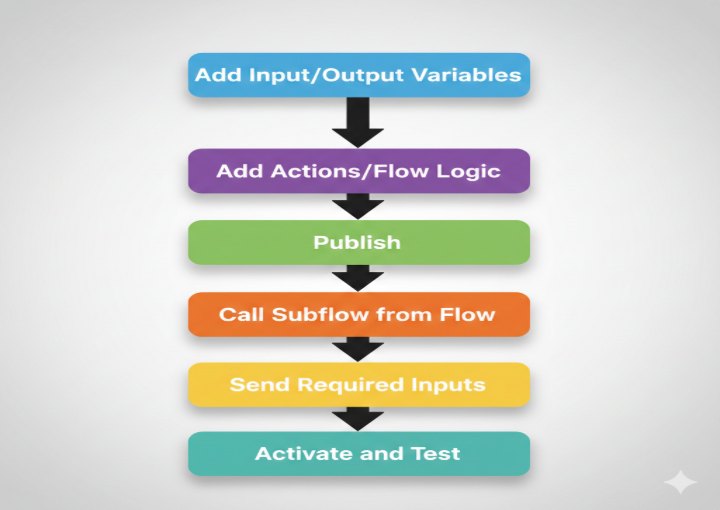
3.1. Add Input/Output Variables
- Purpose: Define the data that your subflow will receive (inputs) and return (outputs).
- Details: Input variables allow you to pass information from the calling flow to the subflow.
- Output variables allow the subflow to send results back to the parent flow.
- Example: Input could be a User ID, Output could be Approval Status.
3.2. Publish
- Purpose: Make the subflow available for use in other flows.
- Details: Publishing a subflow saves it and allows it to be called by other flows.
- Until published, the subflow is only in draft mode and cannot be executed externally.
3.3. Call Subflow from Flow
- Purpose: Use the subflow in a parent flow.
- Details: In your main flow, you can add a “Subflow” action step and select the subflow you created.
- This helps modularize your processes, so repetitive tasks are maintained in one place.
3.4. Send Required Inputs
- Purpose: Provide the data needed for the subflow to execute.
- Details: Map the input variables of the subflow to the variables or values from the parent flow.
- Example: Pass Current User ID from the main flow to the subflow.
3.5. Activate and Test
- Purpose: Run the subflow to ensure it works as expected.
- Details: Activate the flow after testing in a safe environment (like a development or test instance).
- Monitor logs or output variables to verify the subflow behaves correctly.
- Adjust any actions or inputs as needed.
4.Scenario
SubFlow-Remove the specified user from all the assigned groups.
Flow-When the user is not active
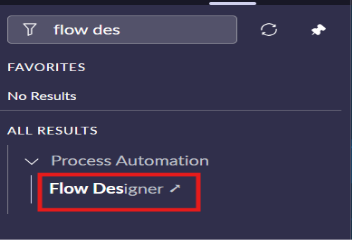
Step 1-Click on SubFlow under new
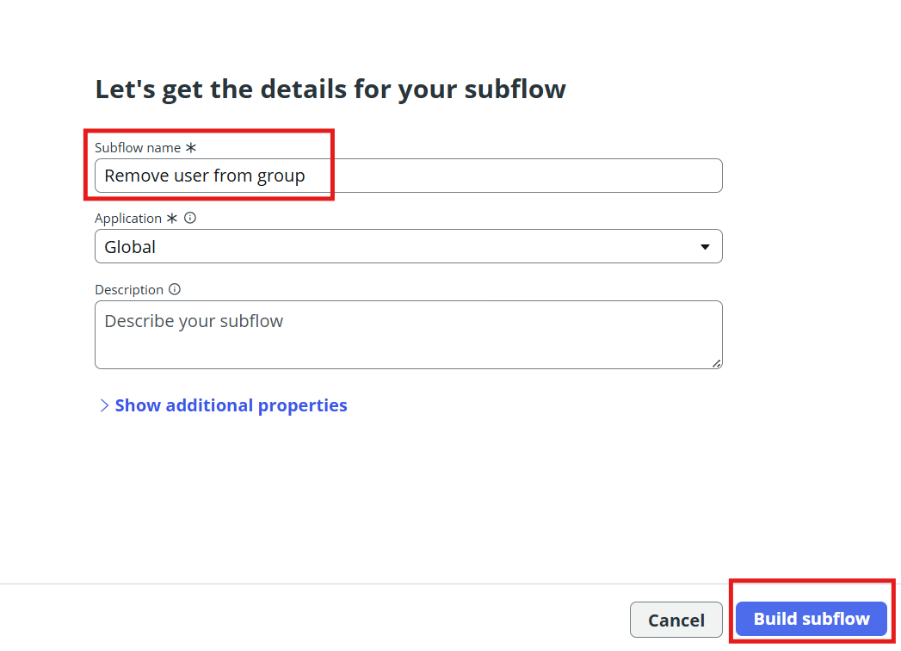
Step 2-Add subflow inputs
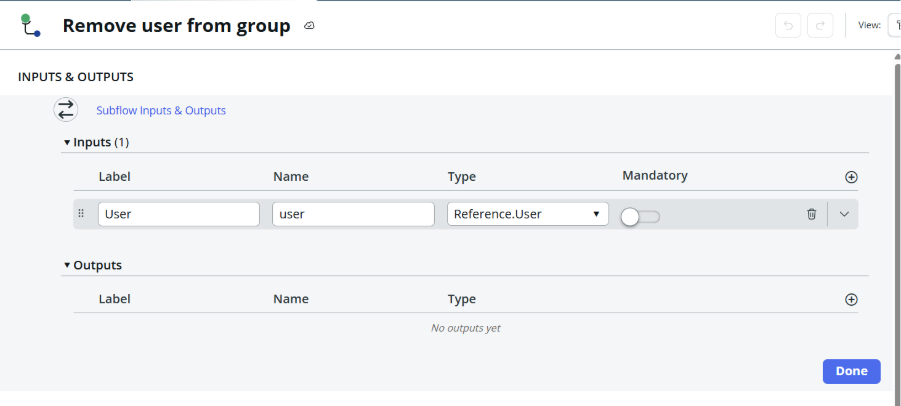
Step 3-Add action
Look up records
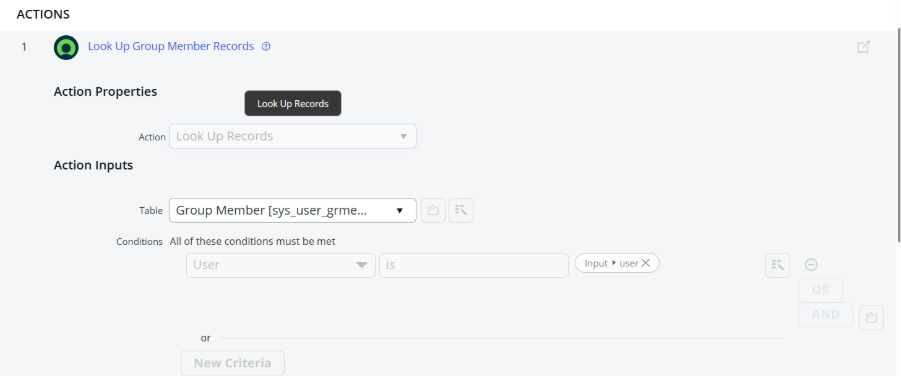
Step 4-add
For each item
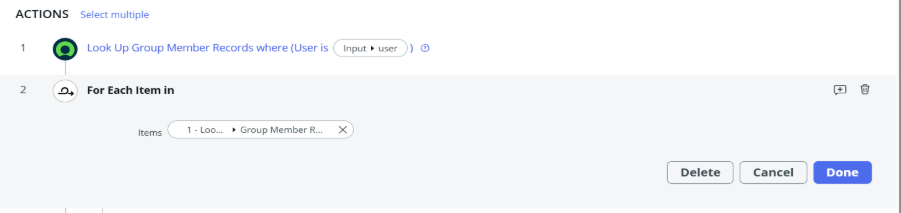
Step 5- delete record
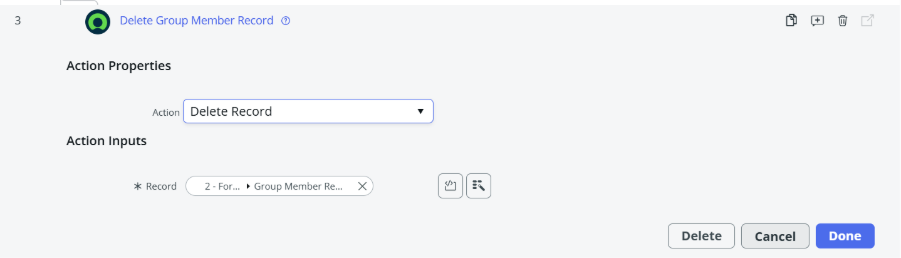
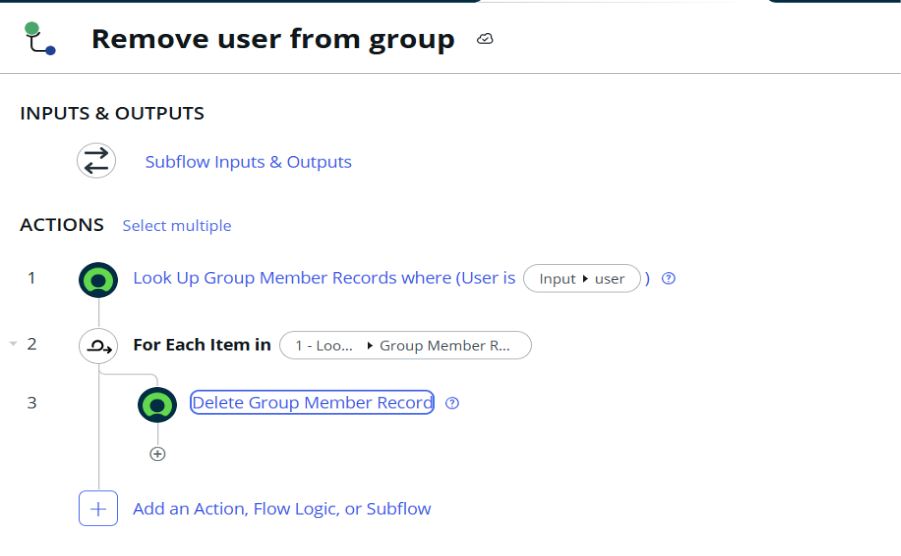
Save this flow and publish the subflow
Step 6- create flow
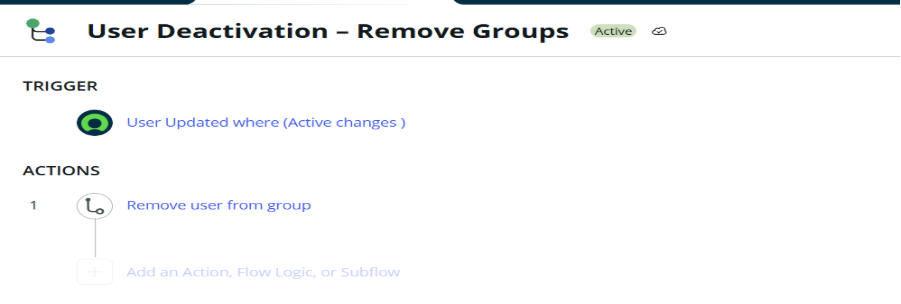
Trigger-
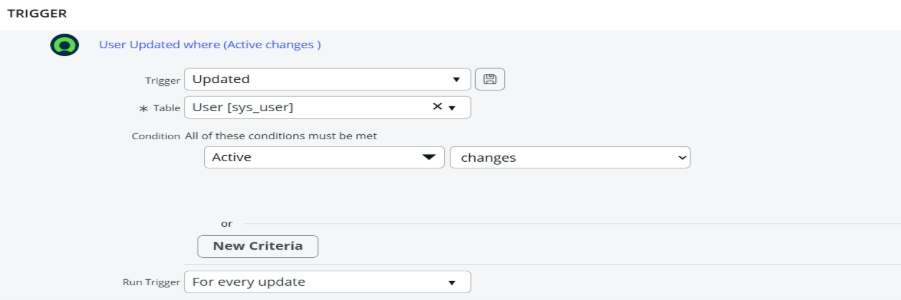
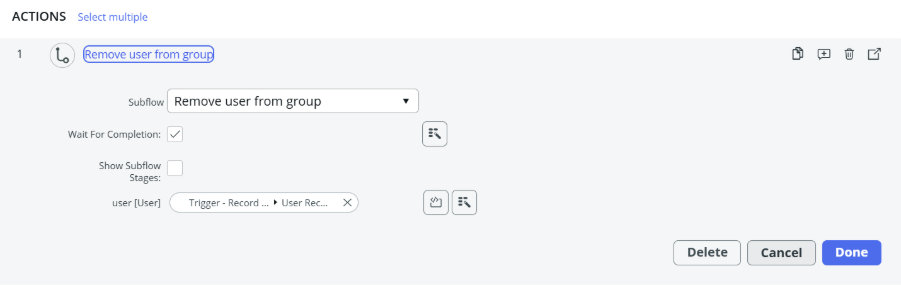
Step 7- actions-add the subflow
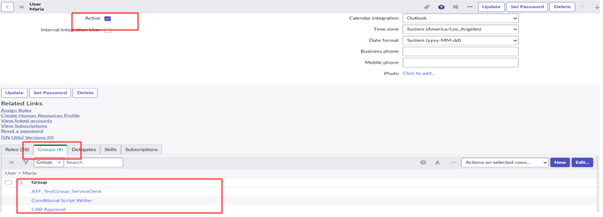
Test the flow and subflow
Create user and give them groups
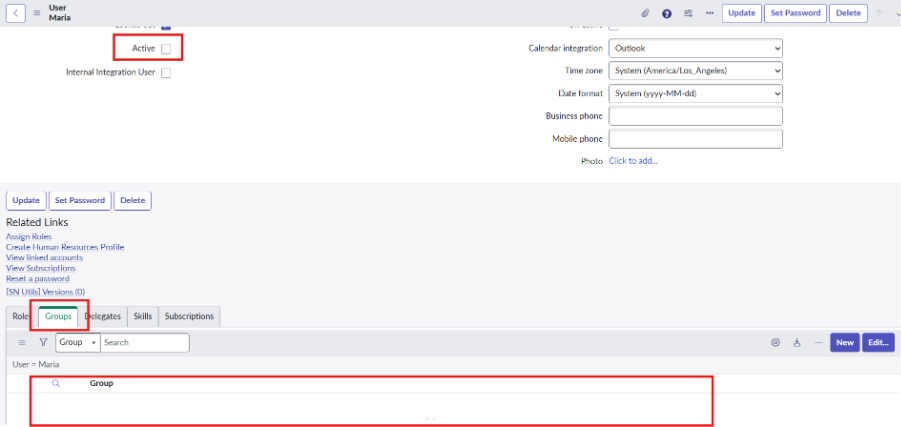
Here when user is inactive all groups of that user is removed
5.Conclusion
- Subflows allow you to reuse the same automation logic in multiple flows.
- They reduce duplicate work and save development time.
- Subflows make workflows more organized and easier to read.
- Changes can be done in one place without updating every flow.
- They improve consistency and reduce errors in automation.
- Subflows help build scalable and maintainable workflows in ServiceNow.