
Email Script
- Definition:
Email Script is a server-side script used within ServiceNow notifications to dynamically generate and format email content before the email is sent. It helps retrieve record data and display it in a customized format inside notification emails.
Implementation Steps:
- Navigate to System Notification → Email → Notification Email Scripts.
- Create a new Email Script and select the appropriate table (e.g., Incident).
- Write the script using template.print() to display required field values.
- Create a Notification on the same table.
- Configure the notification trigger condition (e.g., when Assigned To changes).
- Add recipients such as the Assigned User.
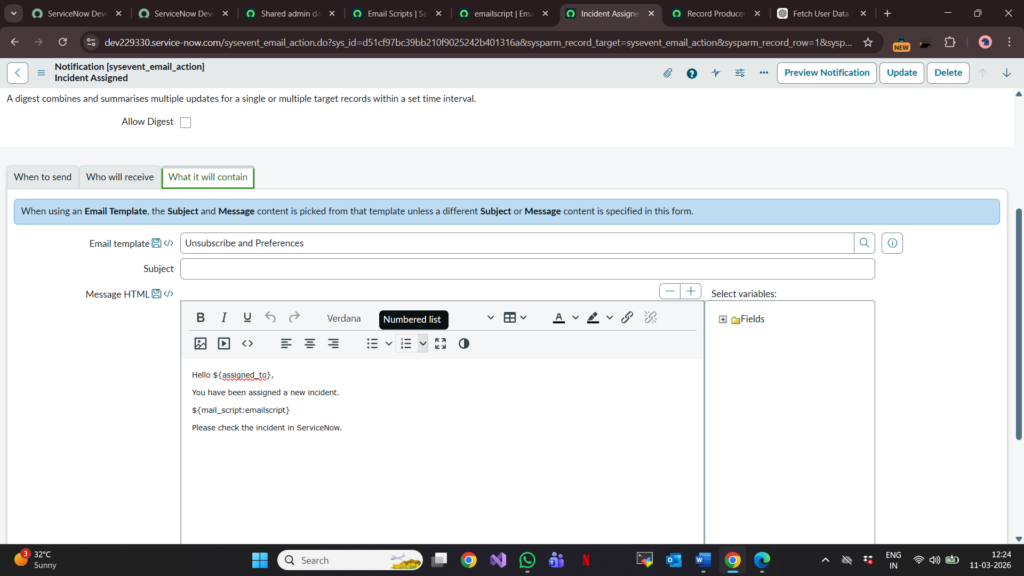
- Call the Email Script in the notification body using ${mail_script:Script Name}.
- Save and test the notification.
Scenario: Send Incident Details to Assigned User
Requirement
Whenever an Incident is assigned to a user, send an email containing Incident details such as Number, Short Description, Priority, State, and Assignment Group.
Implementation Steps
Step 1: Create an Email Script
- Navigate to System Notification → Email → Notification Email Scripts
- Click New
- Name: Incident Details Script
- Table: Incident
Step 2: Write the Email Script
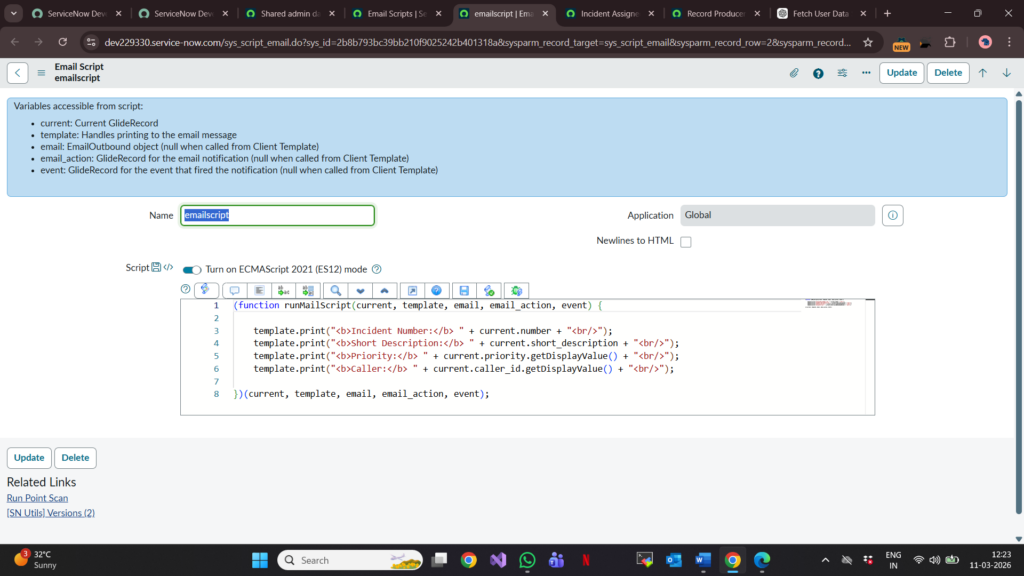
Step 3: Create a Notification
- Navigate to System Notification → Email → Notifications
- Click New
- Name: Incident Assigned Notification
- Table: Incident
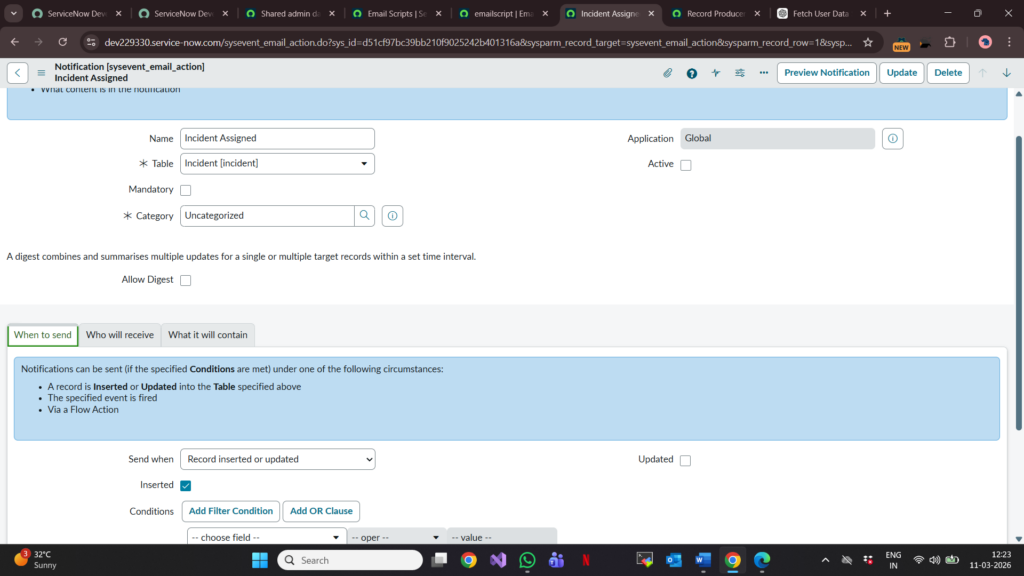
Step 4: Configure When to Send
- Send When: Record Updated
- Condition:
- Assigned To changes
- Assigned To is not empty
Step 5: Configure Recipients
- Users/Groups in fields: Assigned To
Step 6: Add Email Script to Notification Body
Step 7: Test the Functionality
- Open an Incident record.
- Change the Assigned To field.
- Save the record.
- Verify that the assigned user receives the email with all Incident details.
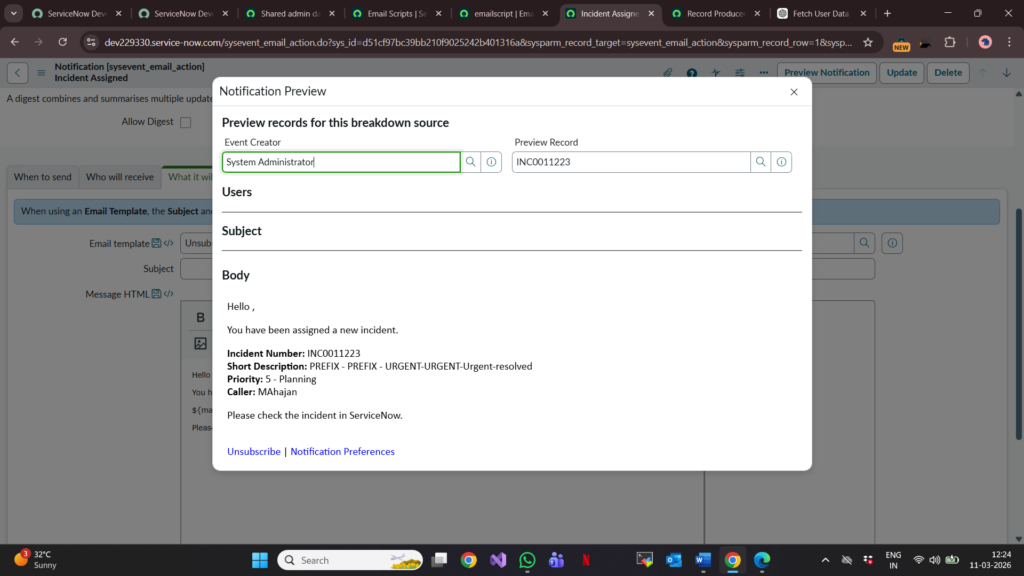
Result:
Whenever an Incident is assigned to a user, an email notification is automatically sent containing the latest Incident information generated dynamically using the Email Script.